Fastest Route vs Shortest Route: Which One Is Better for Delivery?
Understand the key differences between fastest and shortest routes, and learn which option can save more time and fuel for your delivery operation.

Route Planning
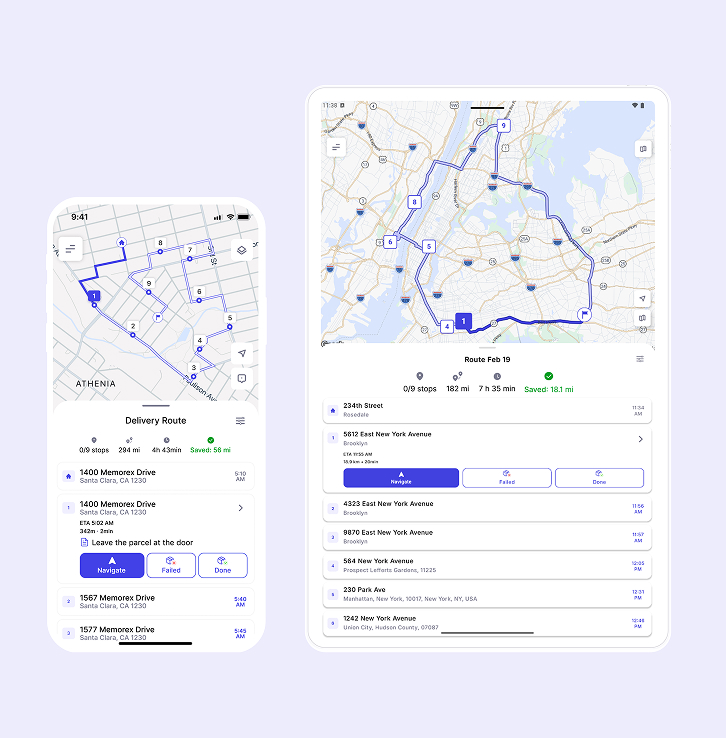
In delivery logistics, every extra stop complicates planning. Time leaks away, fuel costs balloon, and manual sequencing becomes a puzzle with too many pieces. If drivers follow inefficient plans, businesses feel the strain in customer satisfaction and operating cost.
Optiway tackles this complexity with precise routing automation. Built for logistics teams that juggle dozens of addresses daily, Optiway provides clarity and performance where manual effort fails.
Optimizing multi-stop routes isn't just a "nice to have" feature. Efficiently planned rounds improve delivery speed, sharpen customer experience, and reduce unnecessary mileage. In contrast, tools designed for simple navigation — such as Google Maps — hit limits quickly when businesses outgrow basic use cases. Google Maps supports planning multiple stops up to a point, but it was never built as a full delivery route planner. You can add stops and adjust them manually by dragging in the list, but this becomes slow and cumbersome as the number of stops grows. In fact, Google Maps has a built-in limit for stops, and planning beyond that often requires workarounds.
For services like courier deliveries, field technicians, retail logistics, and distribution networks, automated optimization saves hours of work and minimizes guesswork.
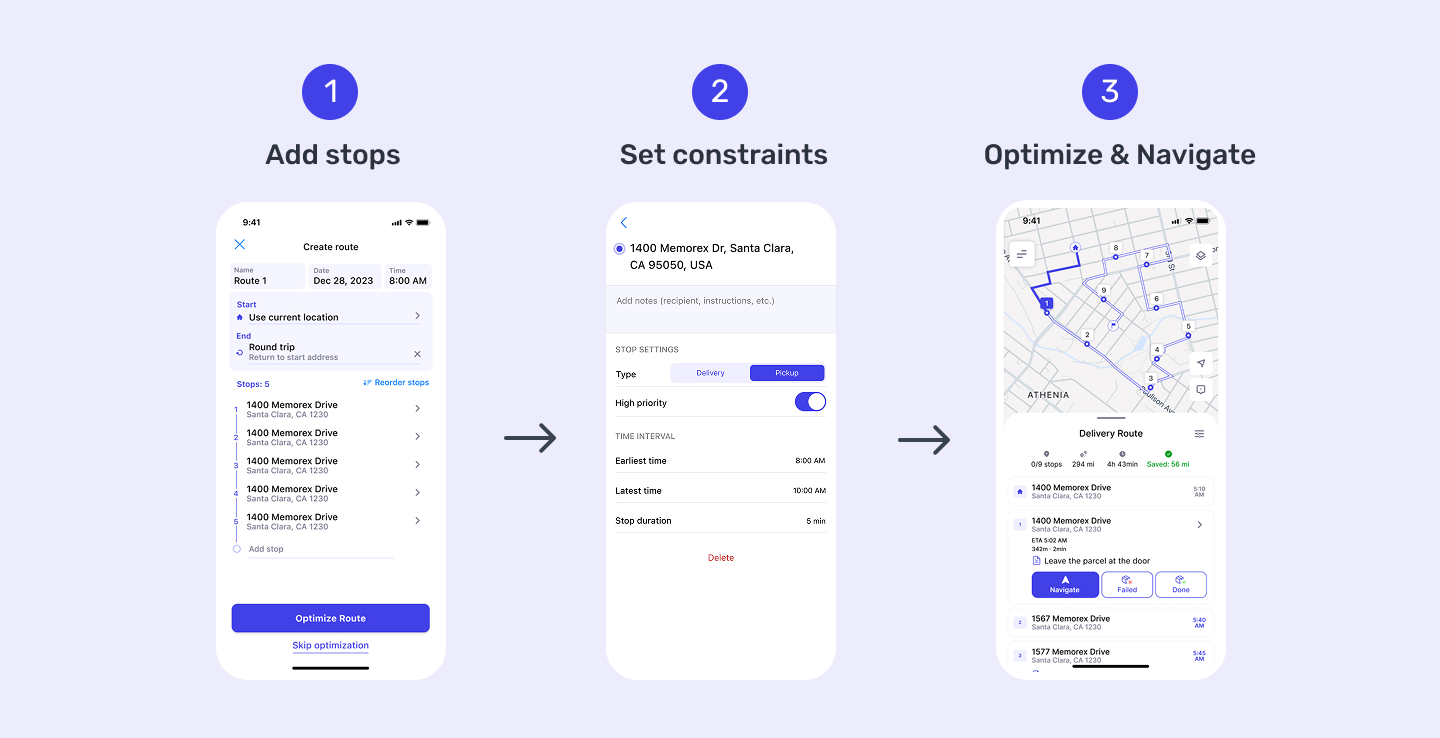
Optiway stands out by combining several advanced features into one workflow:
Optiway's interface is designed for dispatchers and logistics managers who need results without technical friction.
Begin at the Optiway login page and open your dashboard. Account registration is available via Apple (for iOS), Gmail, and email. Once successfully registered, the user is taken to the main screen, where they see a button to create a route. From there, you will see tools for route planning.
Add stops by typing addresses directly or uploading them in bulk via a txt/xlsx file. Optiway supports address validation to catch errors before they cause routing problems.
Before optimizing, set stop priorities such as specific time windows. You can create a route and follow it after optimization.
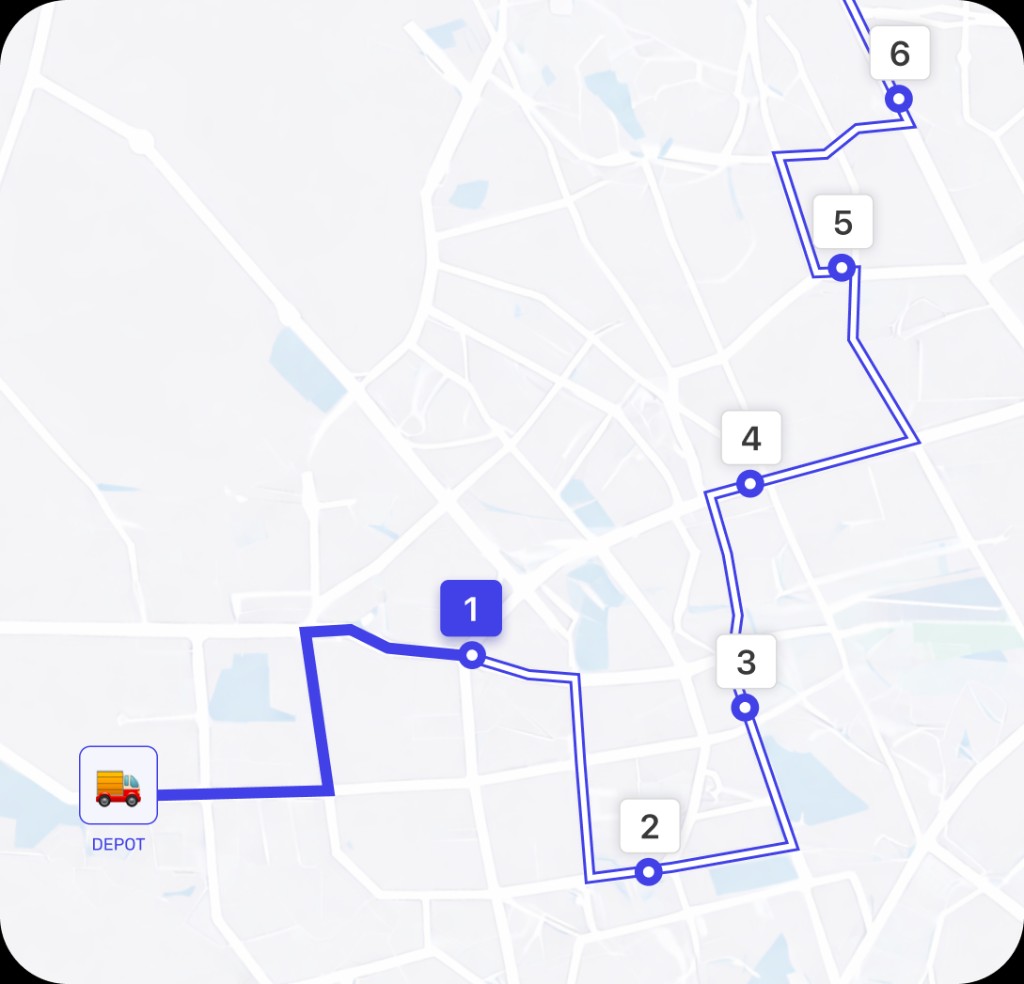
Once your data is ready, click "Optimize". Optiway uses its smart routing engine to sequence stops for minimum travel time and cost. You'll see a map preview and a clear sequence of stops that can be dispatched right away.
Using Optiway for multi-stop routing offers tangible gains:
Routing with many stops doesn't have to be a chore. Optiway's automated tools help logistics teams move from time‑consuming manual planning to intelligent, data‑driven route mapping. When your business grows, relying on simple navigation apps won't be enough — Optiway provides the capabilities needed to handle complexity with confidence. Ready to simplify your route planning? Try Optiway today and experience efficient multi‑stop routing firsthand!
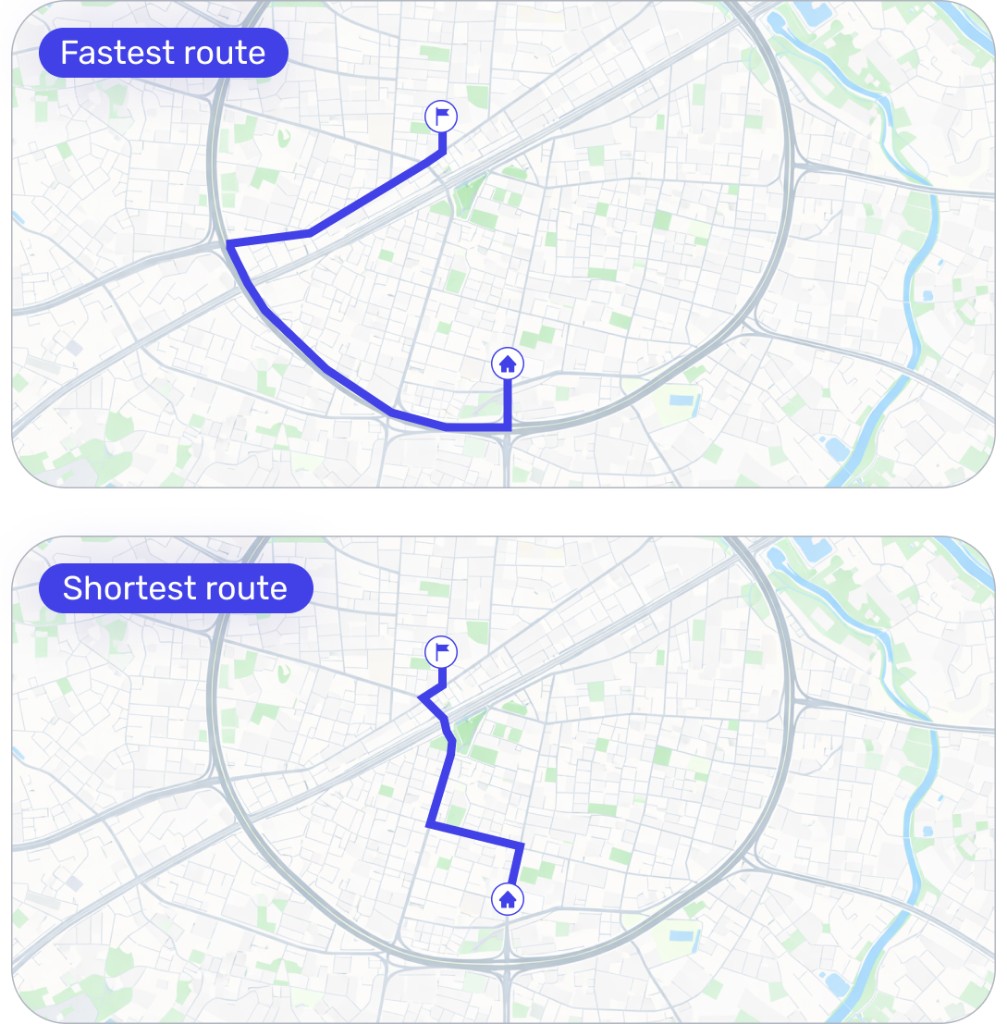
Fastest Route vs Shortest Route: Which One Is Better for Delivery?
Understand the key differences between fastest and shortest routes, and learn which option can save more time and fuel for your delivery operation.
Excel for route planning in Optiway - a template and common mistakes
Turn an Excel stop list into a workable route with Optiway — template + 9 mistakes that sabotage planning.
Why Google Maps Falls Short for Truck Routes
Where a navigation app stops being enough for commercial multi-stop routing.
Plan, assign and track every driver — live, from one dashboard.