Google Maps Alternative for Delivery Route Planning
When Google Maps starts slowing down your delivery day, Optiway gives local delivery businesses a cleaner way to organize stops, improve route order, and keep the day moving.

Route Planning
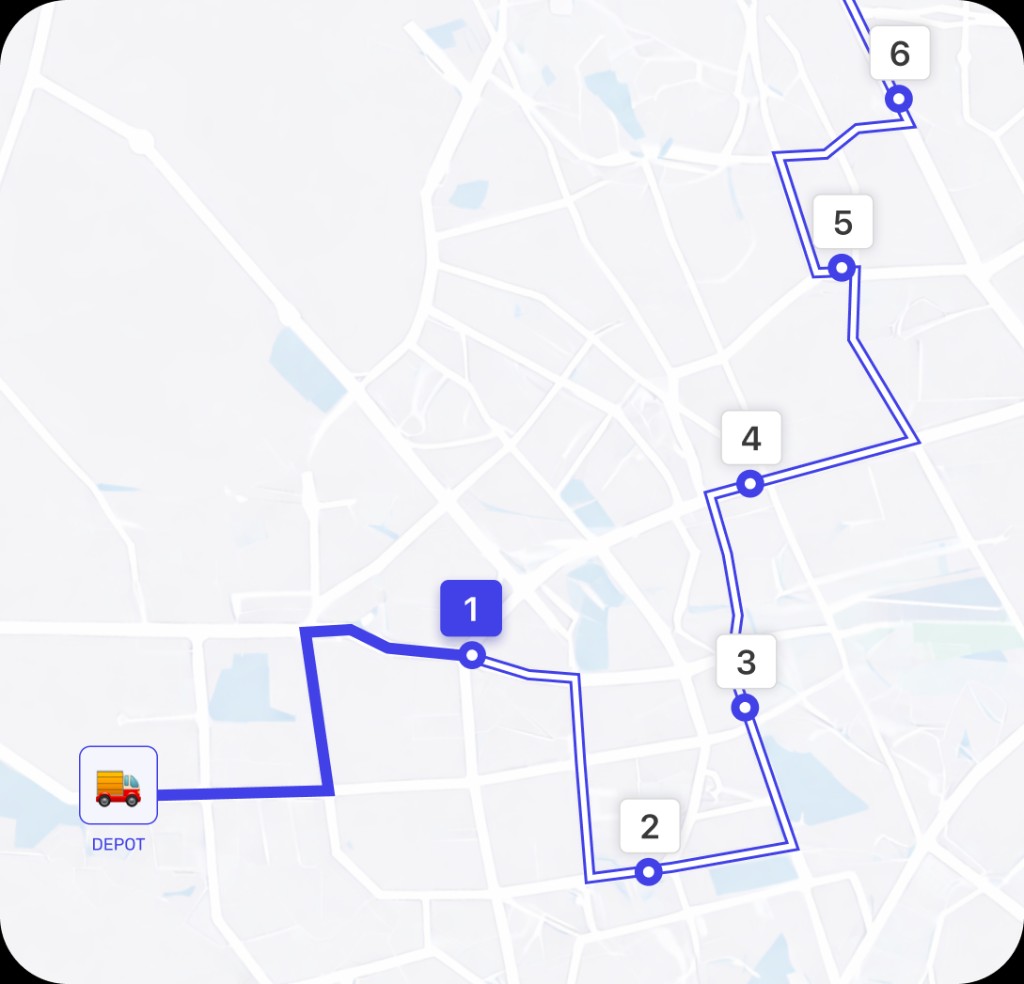
Many truck drivers and logistics managers instinctively turn to Google Maps to plan routes. It's familiar, free, and reliable for everyday navigation. But when it comes to commercial trucking — with heavy loads, regulatory limits, and complex service schedules — simple navigation isn't enough.
That's where advanced route planning tools like Optiway come in, built with commercial vehicle routing and business logistics in mind.
Using Google Maps to plot a truck route generally involves:
These tools are useful for basic navigation and can show real‑time traffic conditions. But Google Maps doesn't distinguish between cars and commercial trucks in its routing logic, meaning you could be steered onto roads that aren't ideal for heavy or oversized vehicles.
Google Maps isn't designed to handle the complexities unique to commercial truck routes:
For business fleets and professional drivers, these gaps are more than just inconveniences — they translate into costly delays, missed windows, higher fuel use, and unnecessary wear and tear.
Handling truck routes professionally means accounting for compliance, efficiency, safety, and predictability. Important requirements include:
Specialized navigation solutions are built to factor in all these considerations and help logistics operations avoid costly mistakes that basic tools can't prevent.
Optiway offers a suite of features tailored to how commercial traffic actually works:
Because Google Maps doesn't provide truck‑aware routing, many commercial drivers and fleets choose dedicated GPS and planner apps:
These tools are built with real commercial use in mind, unlike Google Maps' more generic navigation model.
Google Maps remains a popular tool because it's fast and familiar for everyday driving. But for commercial fleets and truck routing that must respect regulations and optimize schedules, it simply wasn't designed to handle that complexity.
Optiway fills that gap with truck‑aware routing, multi‑stop sequencing, live updates, and analytics that help businesses save time, fuel, and money while improving delivery reliability. If you're serious about truck routing at scale, it's time to move beyond basic navigation. Try Optiway to see how logistics‑grade routing transforms your operations.
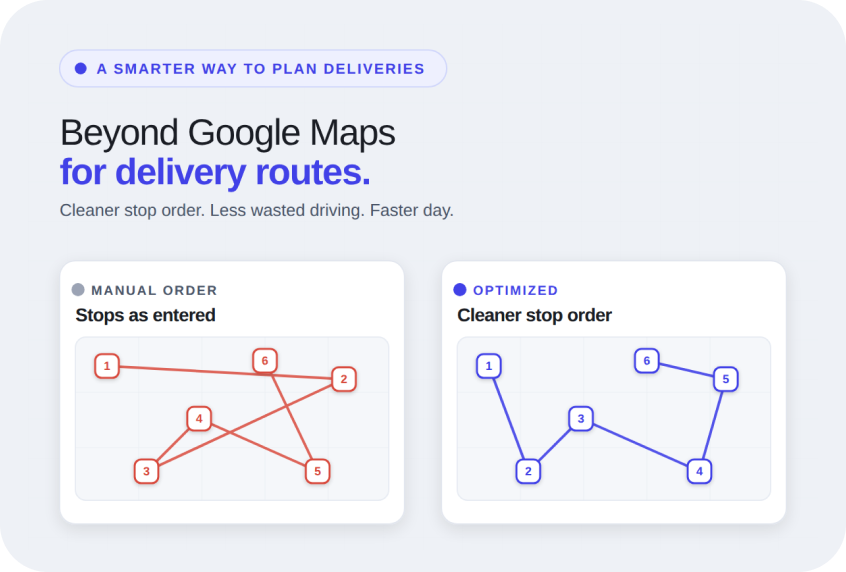
Google Maps Alternative for Delivery Route Planning
When Google Maps starts slowing down your delivery day, Optiway gives local delivery businesses a cleaner way to organize stops, improve route order, and keep the day moving.
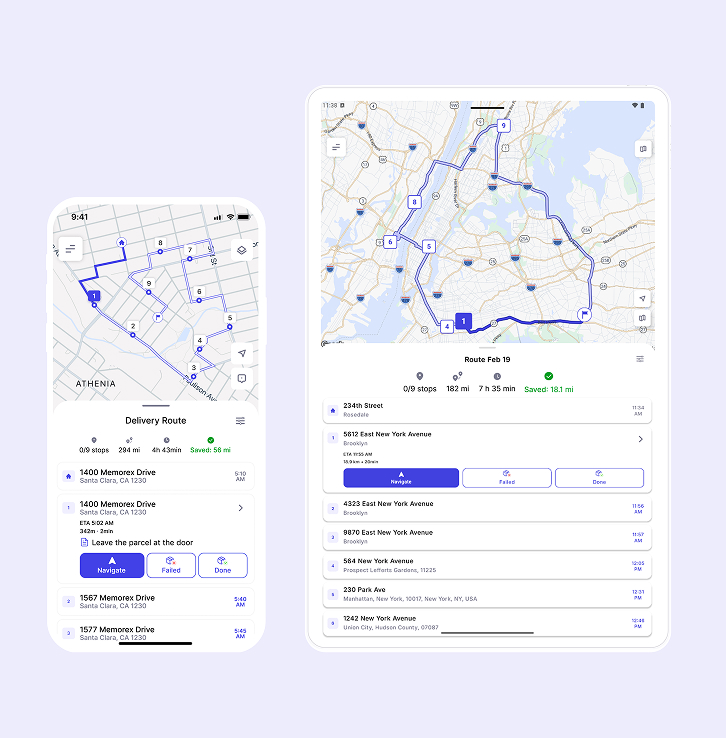
How to Map a Route with Multiple Stops Using Optiway (Step-by-Step)
Advanced multi-stop route mapping with Optiway explained step-by-step including real-world challenges when using tools like Google Maps for multiple stops.
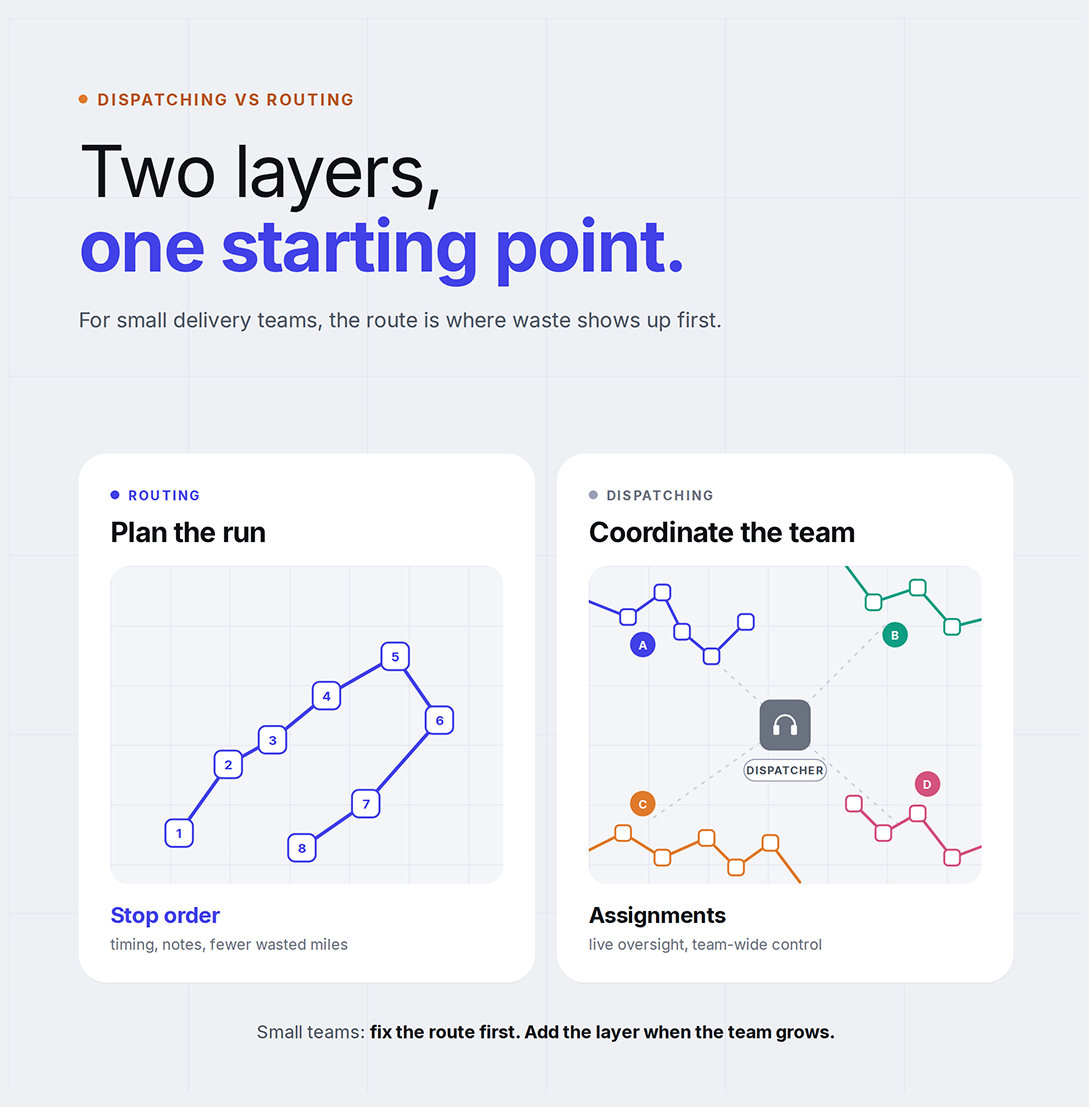
Dispatching vs Routing for Small Businesses
Why most small delivery teams get more value from better routes first.
Plan, assign and track every driver — live, from one dashboard.