


Courier Management Software: What It Does, What It Costs and How to Choose
What courier management software does, the two kinds, real prices and five questions for choosing one.

Optiway Dispatch is courier dispatch software for a company that runs several drivers and still plans the day in a spreadsheet. Upload the manifest, split it between drivers in the fastest order, send every route to the driver app and get proof of delivery back at every door.
Free for 300 stops a month, every feature, no card. Team $99 and Business $199 when you outgrow it.
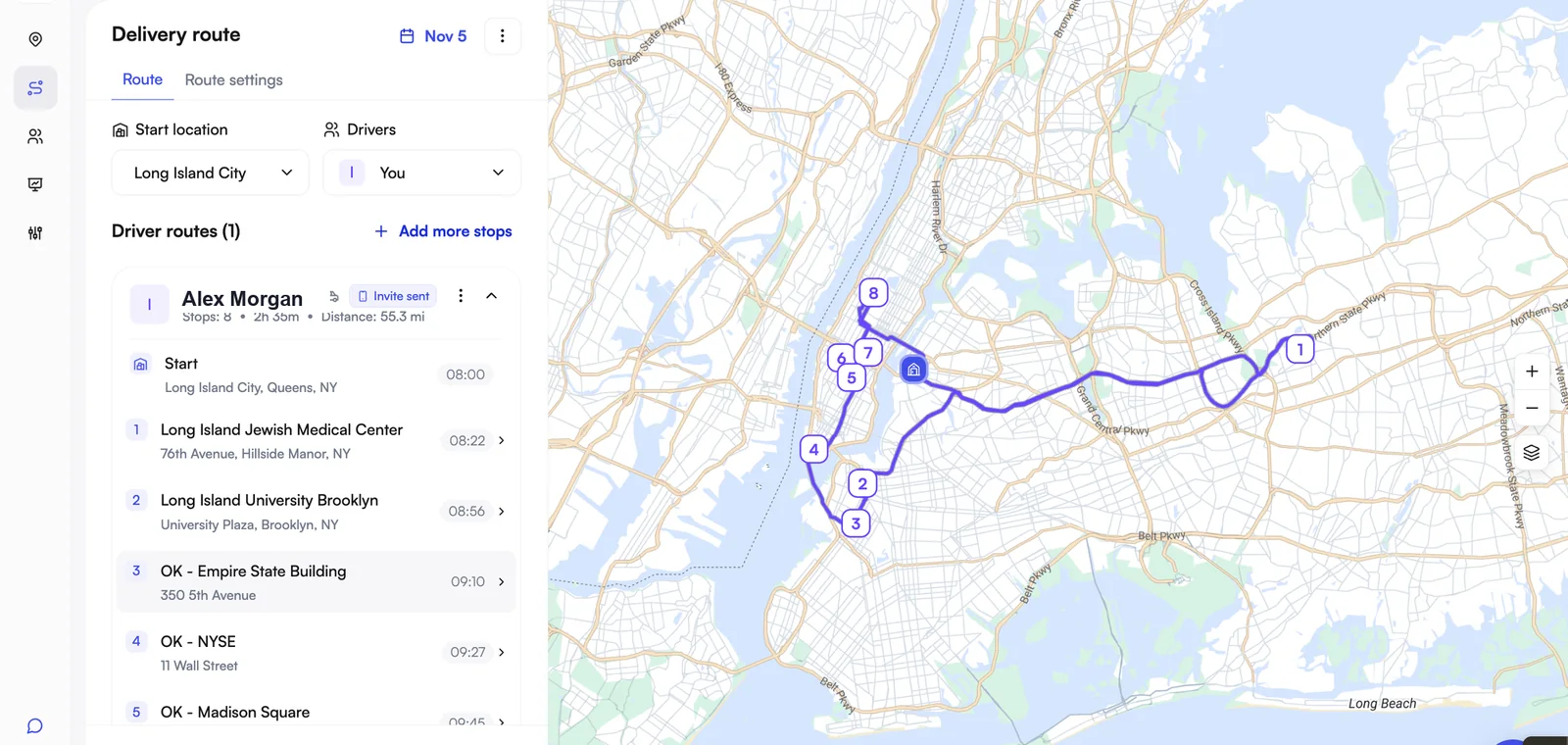
Optiway Dispatch is courier dispatch software that puts your stops, drivers, routes and proof of delivery on one board. Who's driving Elm Street? What's the gate code at Mill Lane? When the answers live in a spreadsheet, a group chat and a driver's memory, one sick call eats your whole morning.
A driver calls in sick at 7:40 a.m. You reshuffle their 60 stops across three other routes by hand while the vans sit in the lot. By lunch, nobody knows which van is where.
Courier dispatch software puts the whole day in one place. You build a route for every driver, track progress live as each stop is done, collect proof of delivery and check the analytics at night. A maps app can't do that, because delivery dispatch software plans your company's day, not one driver's. And it's courier software for small business: courier dispatching software with no servers and nothing to install.
Optiway Dispatch is built for courier companies with two drivers or more: same-day local couriers, parcel subcontractors and regular business routes.
Same-day couriers add collections to the plan as they come in, all day. Add the stop, re-optimize, and your driver has it.
Parcel subcontractors import the carrier's morning manifest and split it across their own vans before they leave the depot.
Regular business routes repeat every week: duplicate last week's route, change what moved and send it to your drivers.
With Optiway Dispatch, a courier day runs in six steps: add your stops, add your drivers, assign them to the route, optimize and send, track the day, then check the proof and the numbers. You work on the web board. Your drivers work in the Optiway Route Planner app on iOS or Android.
In Optiway Dispatch every stop gets a time window, a priority, a recipient and a note. Before noon for the pharmacy. After two for the office. A collection that has to go first. Add it to the stop once, and our courier scheduling software builds the route around it.
Upload your stops as xlsx, xls or csv, or add them one by one. We show you the addresses we couldn't place, so you can fix them before anyone drives.
Every stop can have a time window, and a high-priority stop goes first after optimization.
Add the recipient's name and phone, delivery or pickup, the minutes the stop really takes and a note with the gate code.
In Optiway Dispatch you add a driver with just a name and an email, and the app invitation goes out on its own. Good courier management software takes minutes to set up, not a training week.
When you add a driver, Optiway emails them a link to the driver app. They accept, and their next route is already on their phone.
The Drivers tab shows your whole team with email, phone, vehicle type and status. Switch between on duty, off duty and inactive, and see who hasn't accepted their invitation yet.
Tick today's drivers in the route's driver list and set what each one drives. This courier routing software plans around each driver and vehicle.
Open the driver list and tick who's working today. Someone new starts on Monday? Add them from the same list.
Set big truck, small truck, car, scooter or bike per driver or for the whole route, so nobody sends a scooter down a highway. Pick the depot each route starts from. Two hubs? Set two start locations.
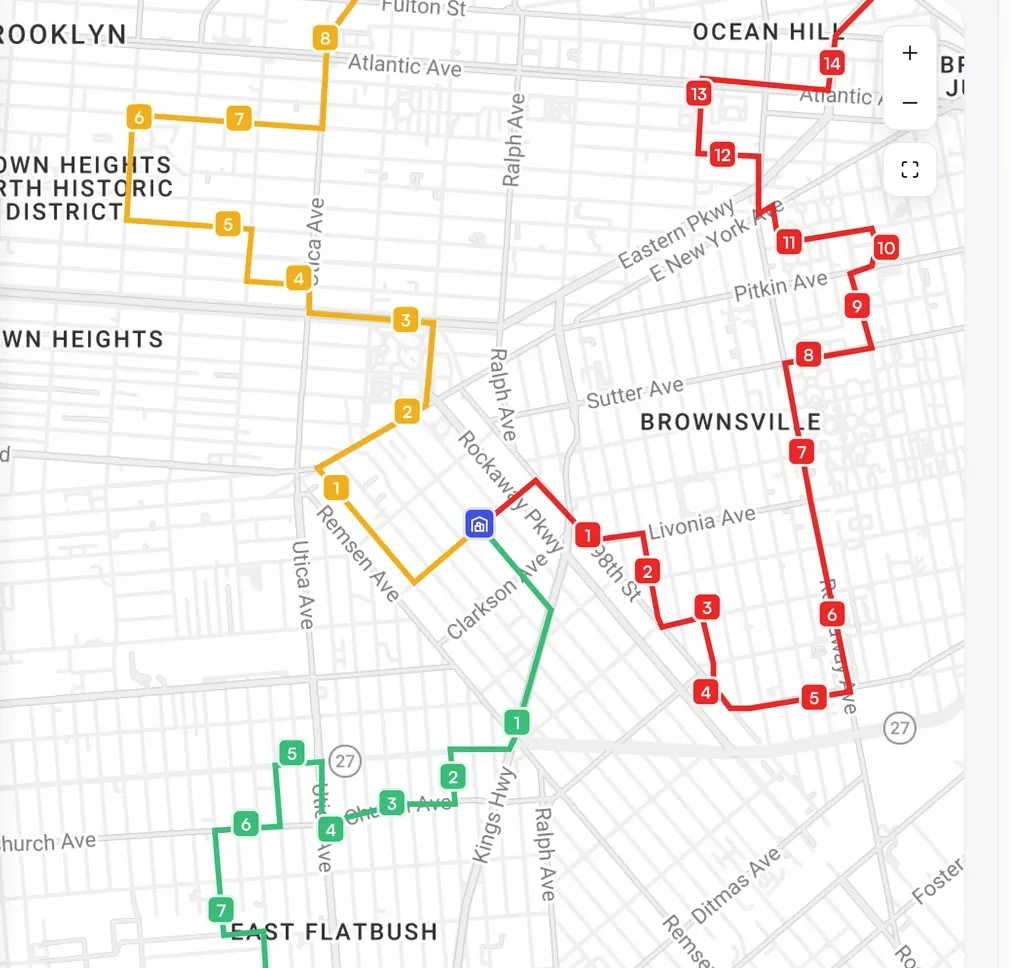
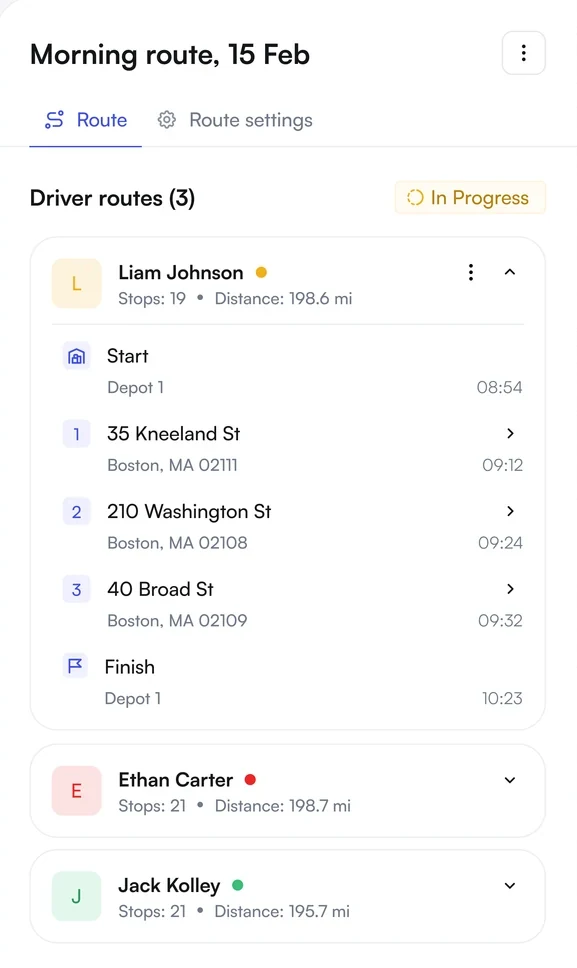
Optiway Dispatch splits your stops between drivers, each route in the fastest order. Click Send route to drivers and every route lands in the Optiway Route Planner app, with your notes, time windows and one-tap navigation in Apple Maps, Google Maps, Waze or Here WeGo.
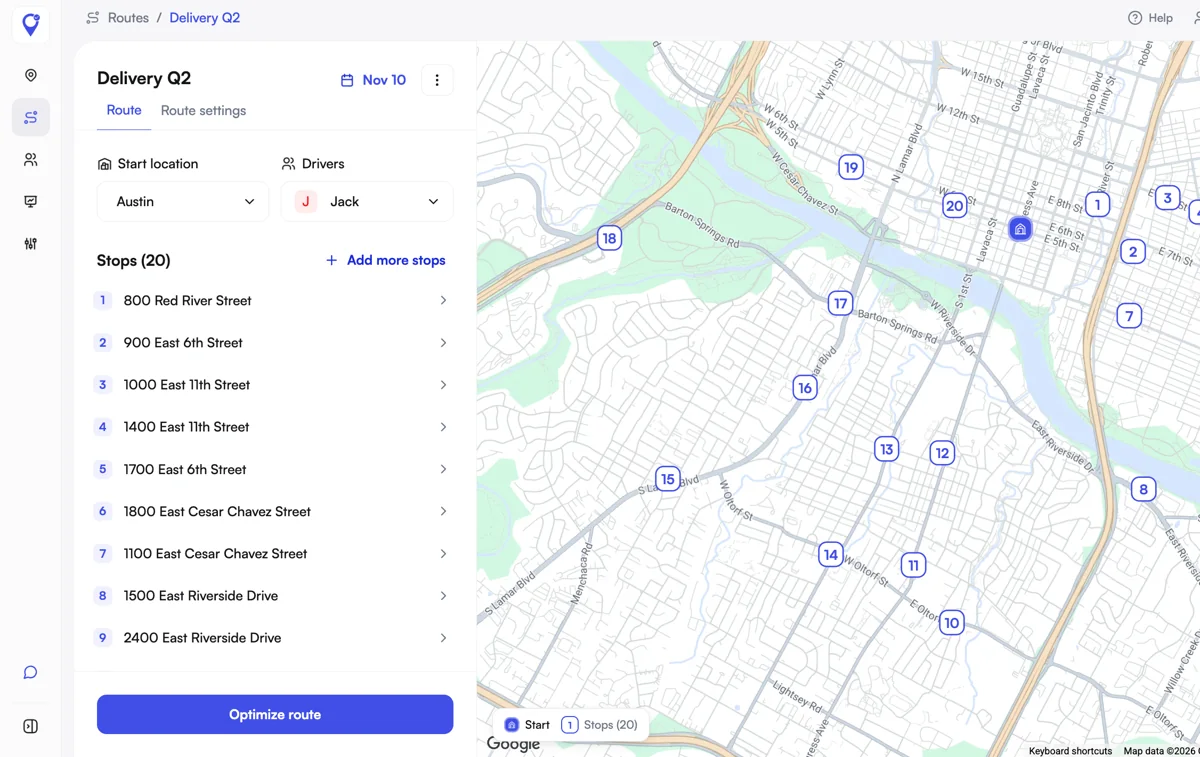
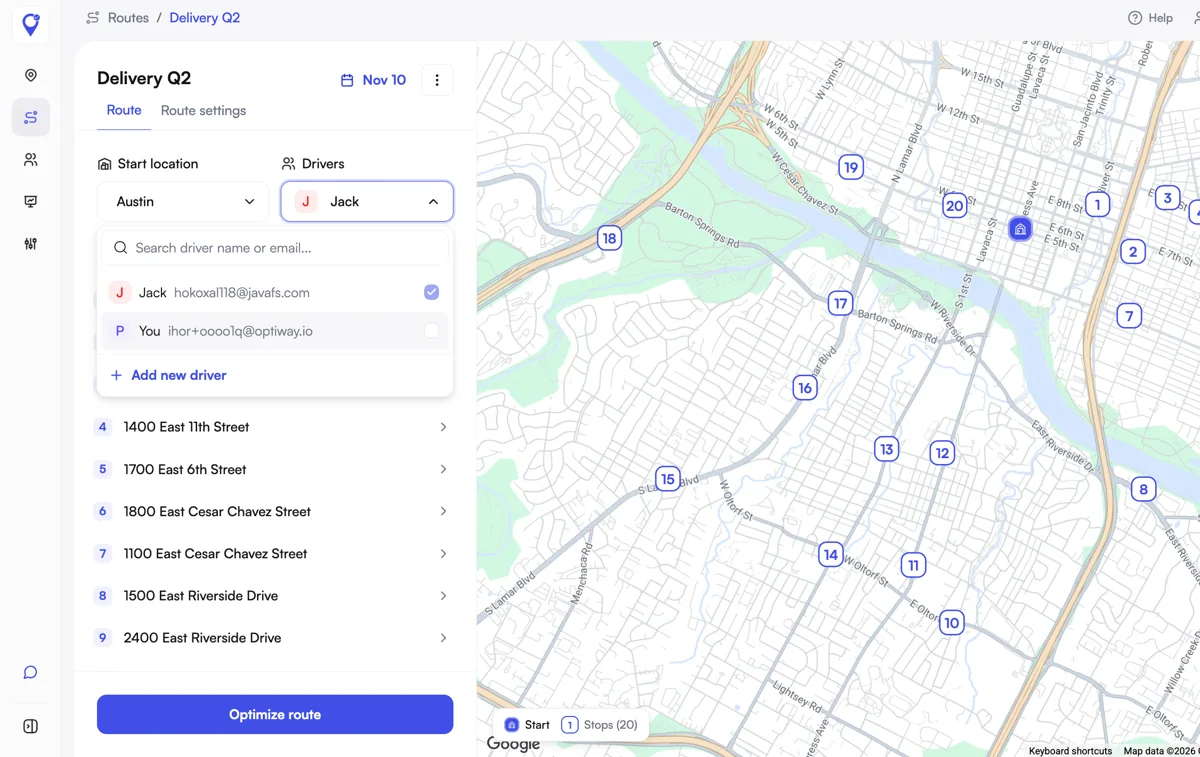
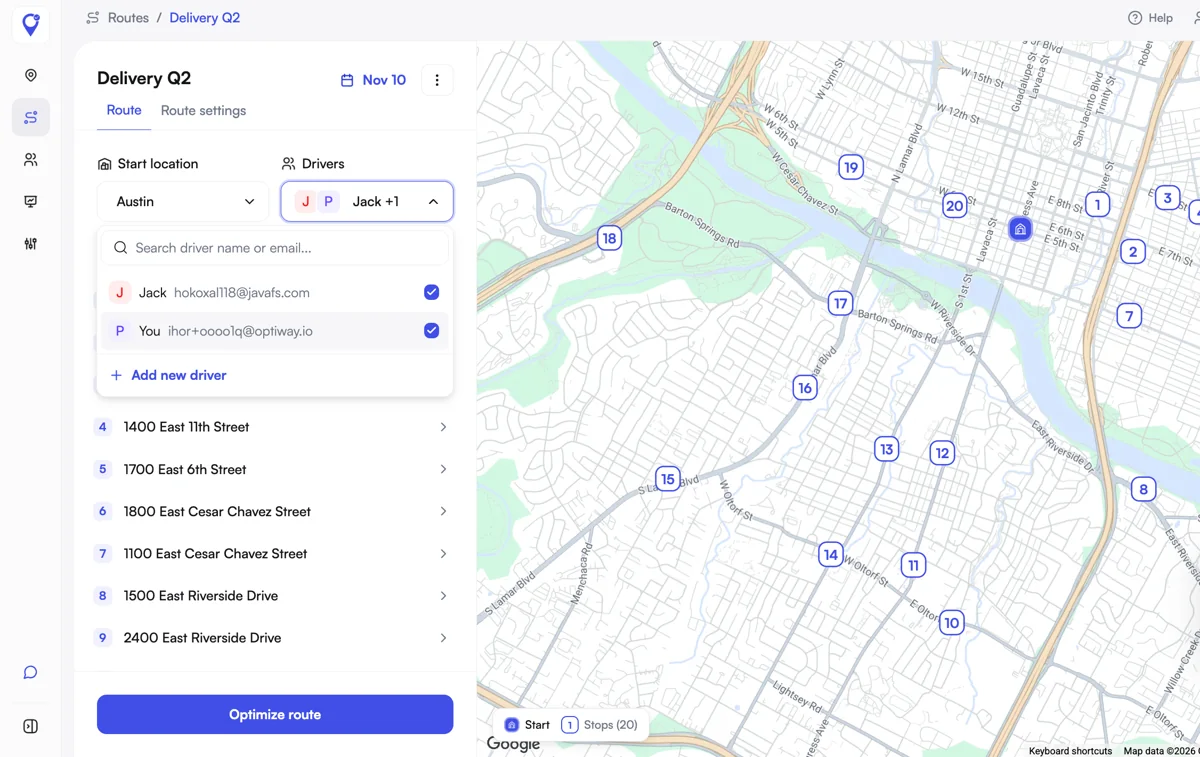
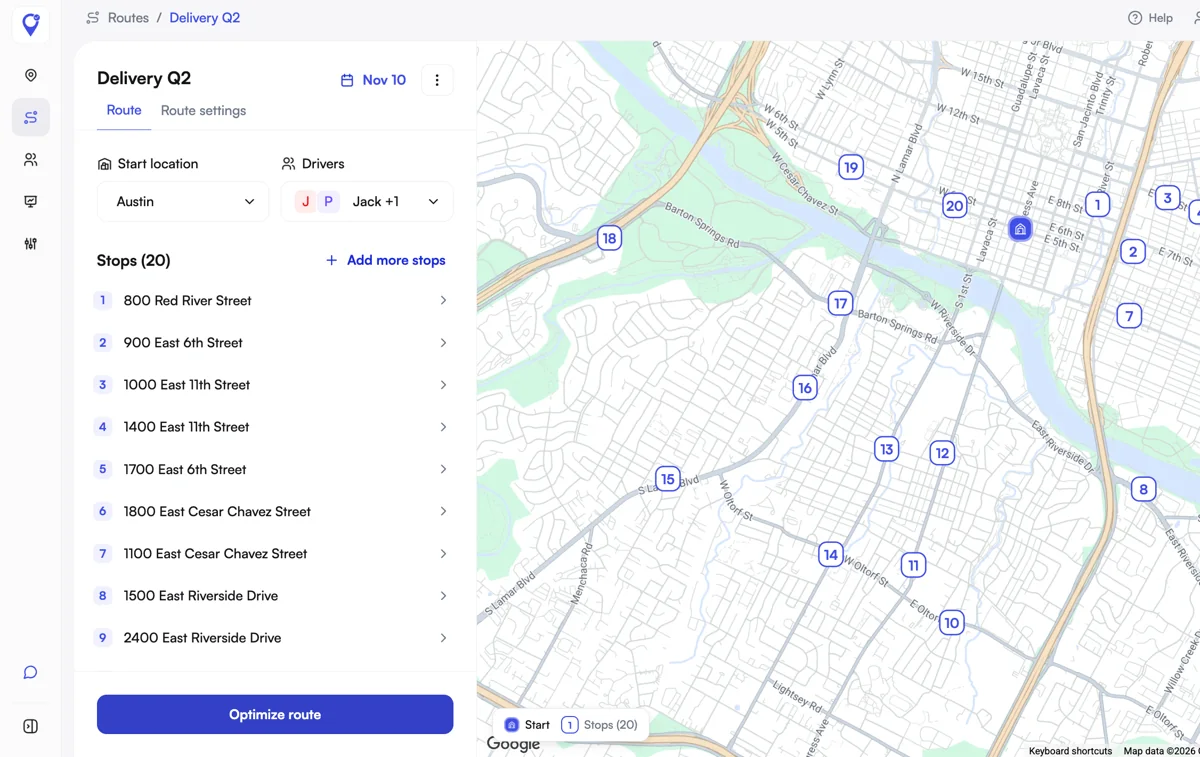
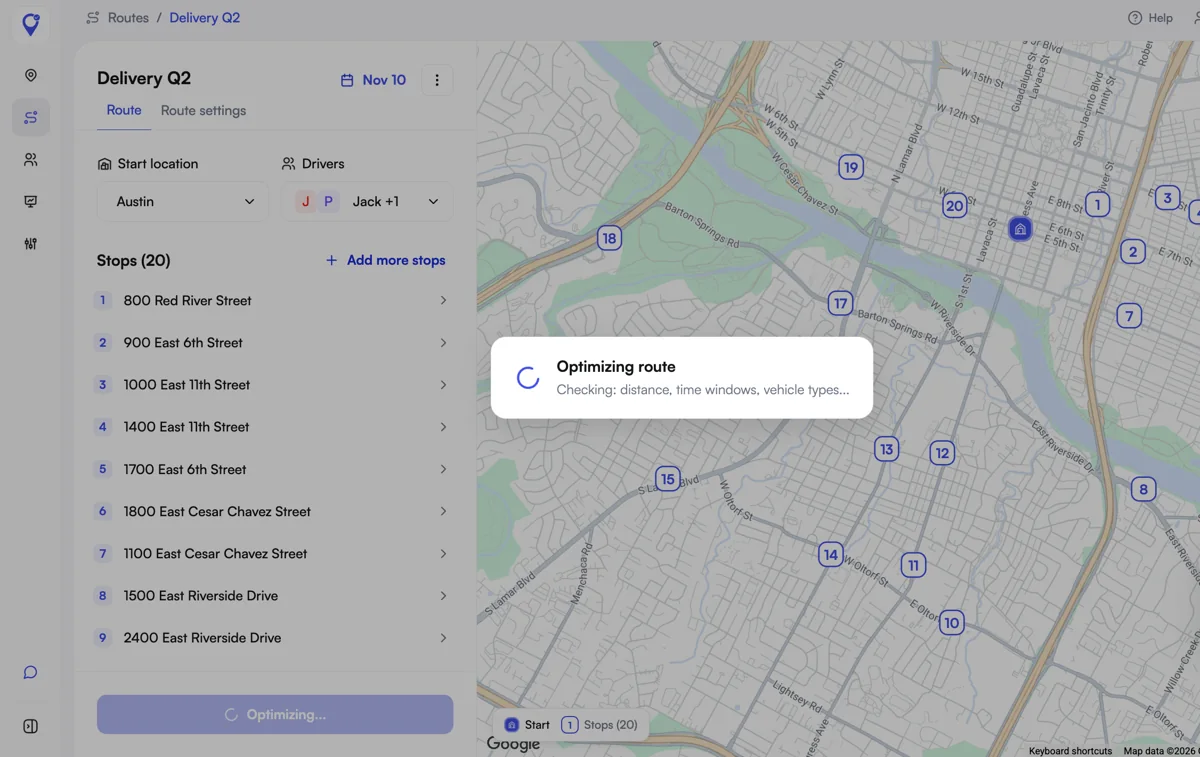
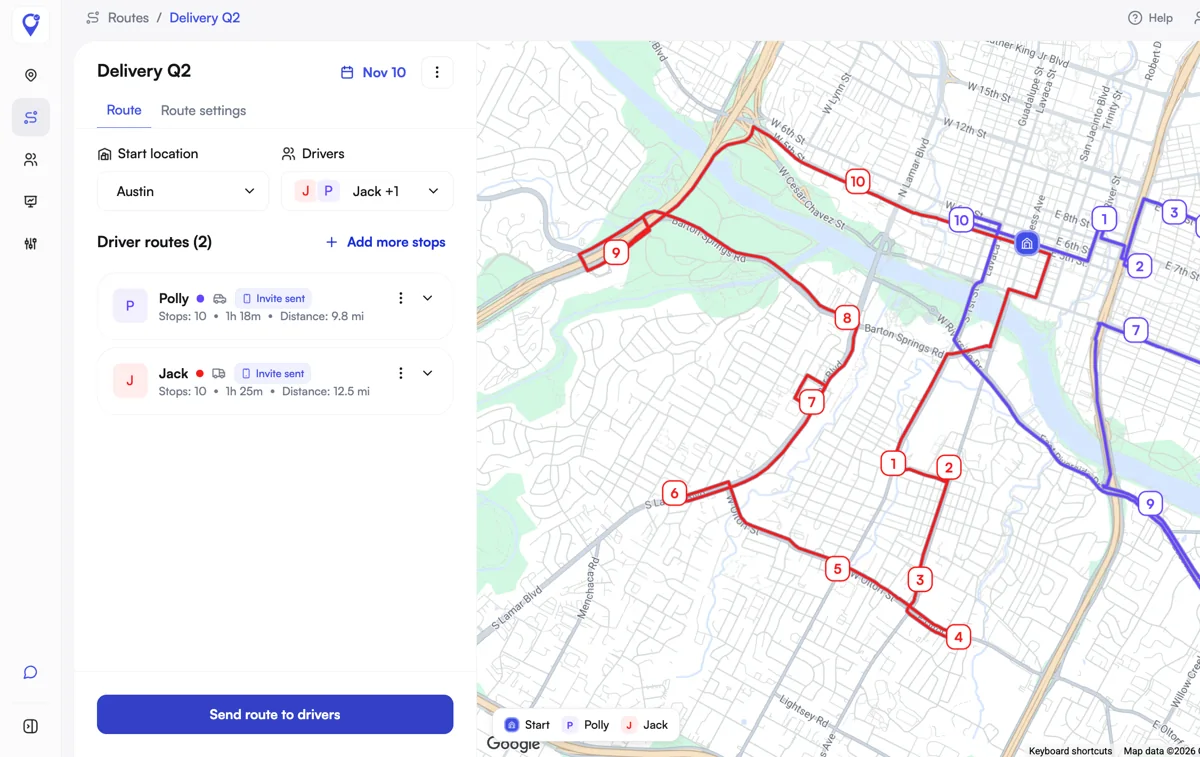
The courier route optimization software divides your stops and sequences each driver's route. Know the streets better? Change the order and re-optimize.
Set your time at stop and optimization type once, in kilometers or miles. Every new route starts from there, and you can change it for any single route.
Optiway Dispatch prints a manifest for each driver with stops, arrival times, recipients and phone numbers. Open it from the route menu.
Print it for drivers who still like paper, or save a PDF for the depot.
Optiway Dispatch shows every driver live on a map and lets you reassign a route in one click. A client adds a collection at eleven. A van breaks down on the ring road. Your board is the local courier software for live courier route management, so you run all of it from one screen.
Optiway Dispatch is courier tracking software for the dispatcher. See where each van is right now and how its stops are going. Filter by driver, route, date and status. Every stop shows In progress, Success, Failed or Unassigned.
When a driver drops out, you hand their whole route to someone else in one click, stops and notes included. New stops came in? Add them and re-optimize. It's independent courier software for when you've outgrown the app but aren't hiring an ops department.
Optiway Dispatch keeps proof of delivery, a photo, a signature or a note, with every stop. "I never got it." When a client says that about a drop from three weeks ago, you search the stop instead of making phone calls.
At the door, your driver opens the stop in the Optiway Route Planner app, takes a photo, collects a signature or adds a note, and marks the stop done or failed.
Open the stop on the route screen in Optiway Dispatch and you see the status, time, note, photo and signature in one place. Click an image to see it full size.
Every finished stop adds up in Optiway Dispatch. Check how the whole team did this week, see the result of each route, and export it all when a client asks.
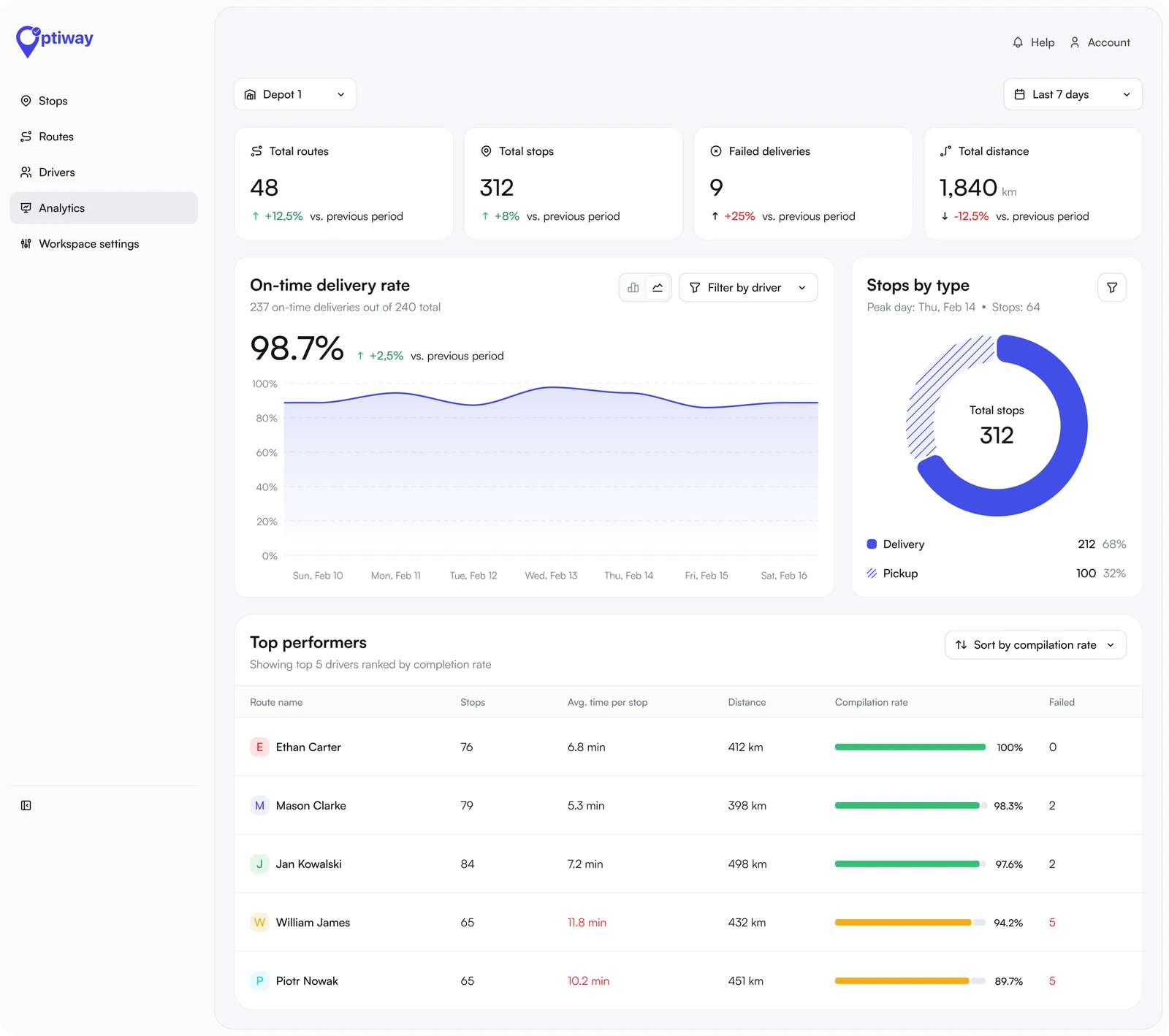
The analytics show success rate, stops done and failed, total distance, volume by day and by driver, and deliveries against pickups.
Export the stats for any period to CSV or Excel and send them to a client. It's the report you'd expect from any courier management system or courier delivery software.
When the last stop is marked, you see how many stops were done, how many failed and your success rate.
Any route exports to CSV or Excel from the route menu when a client wants the record. Running it again tomorrow? Duplicate it.
Optiway Dispatch is priced by stops, not drivers: free for 300 stops a month, $99 for 2,000 and $199 for 5,000. Most courier business software charges per driver, so you pay in July for December's extra vans. That's the wrong model for courier software for small business. This software for courier companies charges for the stops you plan each month. Drivers and dispatchers are unlimited on every plan.
Your allowance resets on the 1st. Start on the free plan with a real manifest, and compare it with per-driver tools in our guide to what courier route planning software costs for 3, 5 and 10 drivers. Tools built for courier work, including the ones that invoice each job, are in our best courier dispatch software comparison. Full details are on the pricing page.
If you plan and drive your own route, use the Optiway Route Planner app instead of the board. The courier route planner app takes a manifest file, a label photo or your voice, sequences your stops and keeps proof of delivery, on iOS and Android.
Courier dispatch software is the web platform a courier company plans its day in: it takes the manifest, splits the stops between drivers in the fastest order, sends each driver their route to a phone app, shows the dispatcher every van on a map and collects proof of delivery at the door. Optiway Dispatch does all of that from one board, with no setup project.
Optiway Dispatch handles unlimited routes, drivers and dispatchers on every plan. The plans differ only by stops per month: 300 on Early Access, 2,000 on Team, 5,000 on Business, more by arrangement.
No, drivers don't need their own subscription: they use the free Optiway Route Planner app on iOS or Android, and your Dispatch plan covers it. You create a driver by name and email, the invitation with the app link goes out automatically, and their routes land in the app from then on.
Yes, Optiway Dispatch imports the day's stops from an xlsx, xls or csv file. You can also add them one by one with a recipient, a note, a delivery or pickup type, time at stop, a priority and a time window. Orders do not flow in from a store or an API yet. Standard integrations are in development, and if your company needs a specific one, we can build it on request.
Not yet: Optiway Dispatch does not send customers texts, ETAs or tracking links today. It shows you, the dispatcher, where every driver is and how each stop is going. If your contracts require that today, see how courier route planning software compares on that point.
Yes, Optiway Dispatch has a free plan, Early Access: 300 stops a month, every feature, unlimited drivers, no credit card, and the allowance resets on the 1st of each month. Team is $99 a month for 2,000 stops and Business is $199 for 5,000. Above that, we agree a plan with you. Everything is on the pricing page.
The best courier software depends on how you pay and how many stops you run. Optiway Dispatch charges per stop with unlimited drivers and starts free; Spoke Dispatch and Routific work the same way at $125 and $150 a month; OptimoRoute, Upper and Track-POD charge per driver. We compared nine of them, dispatch software for couriers included, in best delivery route planning software for small delivery businesses.
You run the company. You shouldn't also be shuffling stops at 9 p.m. Upload tomorrow's stops, split them between your drivers and send the routes to their phones. It's free for 300 stops a month.

Courier Management Software: What It Does, What It Costs and How to Choose
What courier management software does, the two kinds, real prices and five questions for choosing one.
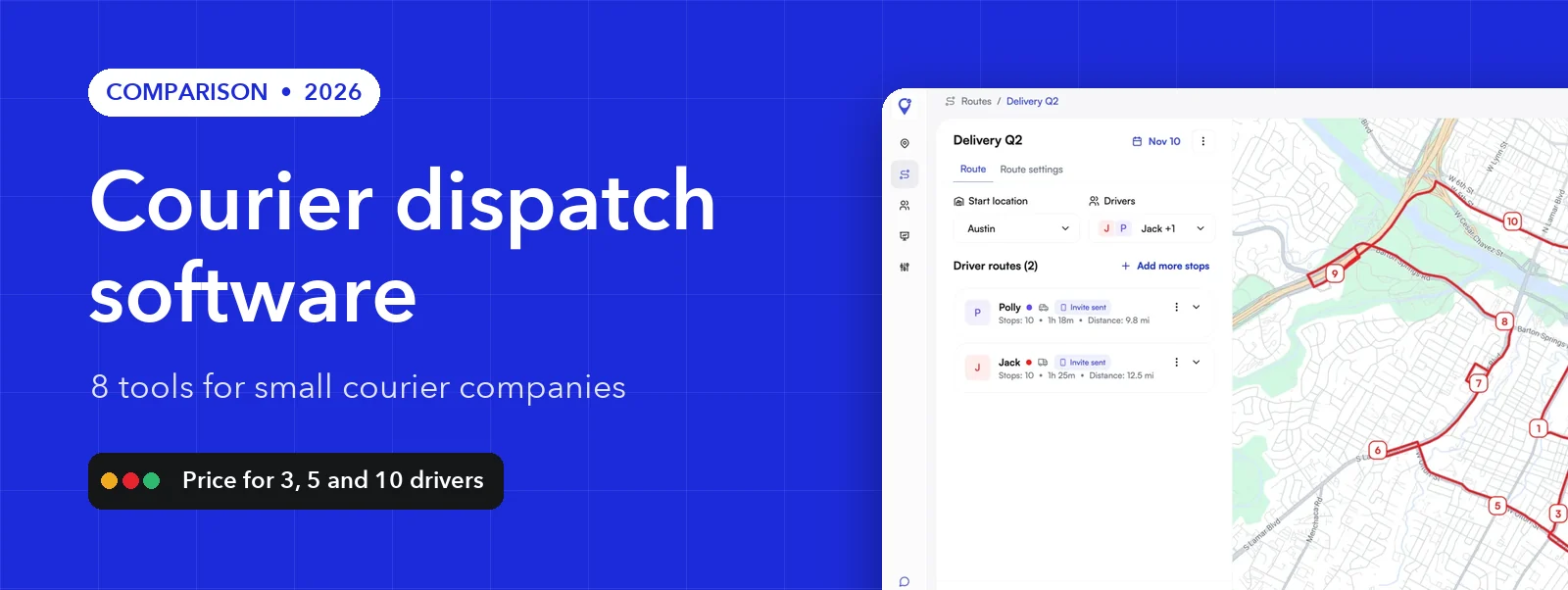
Best Courier Dispatch Software for Small Courier Companies in 2026
Eight courier dispatch tools compared on price for 3, 5 and 10 drivers, free plans, and routes vs on-demand jobs.
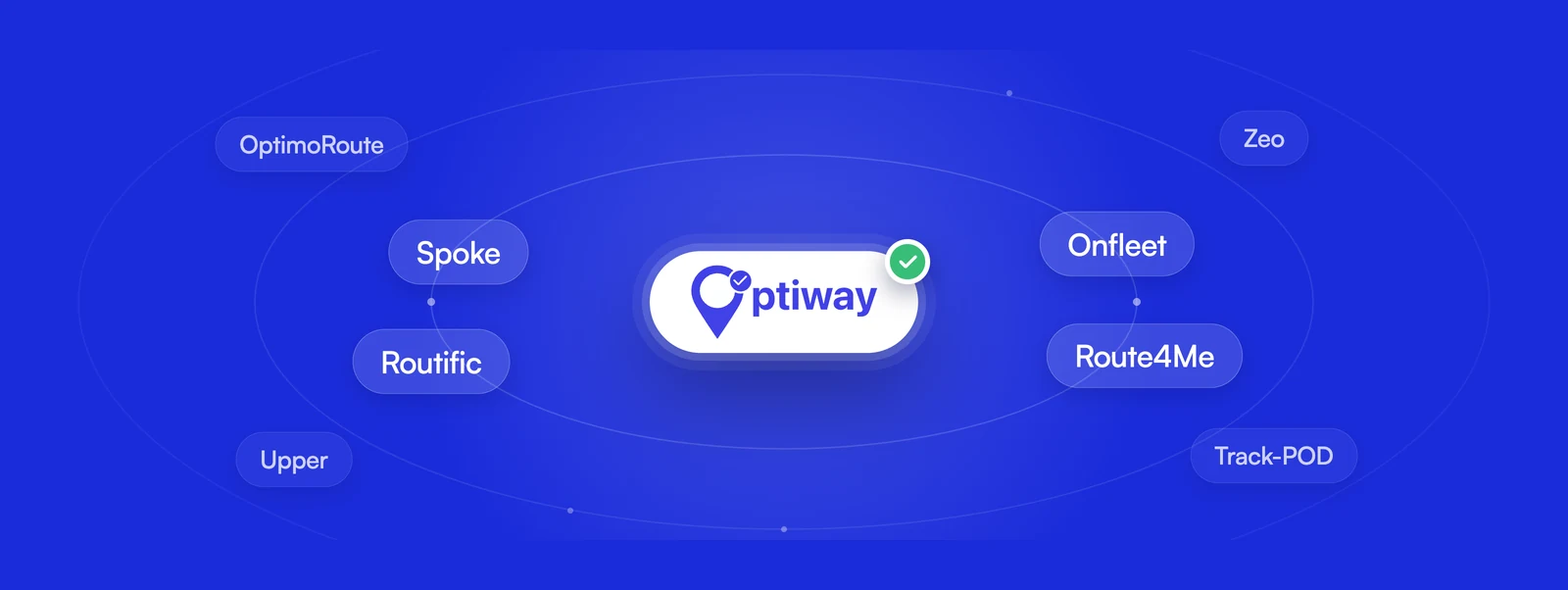
Best Delivery Route Planning Software for Small Delivery Businesses in 2026
Nine tools compared on price for 3, 5 and 10 drivers, free plans and the catch.