Delivery Route Planning Best Practices - A Practical Daily Checklist by Optiway
Optiway puts your stops in a clean driving order — fewer loops, less fuel, calmer deliveries, and quick edits when plans change.

Route Planning
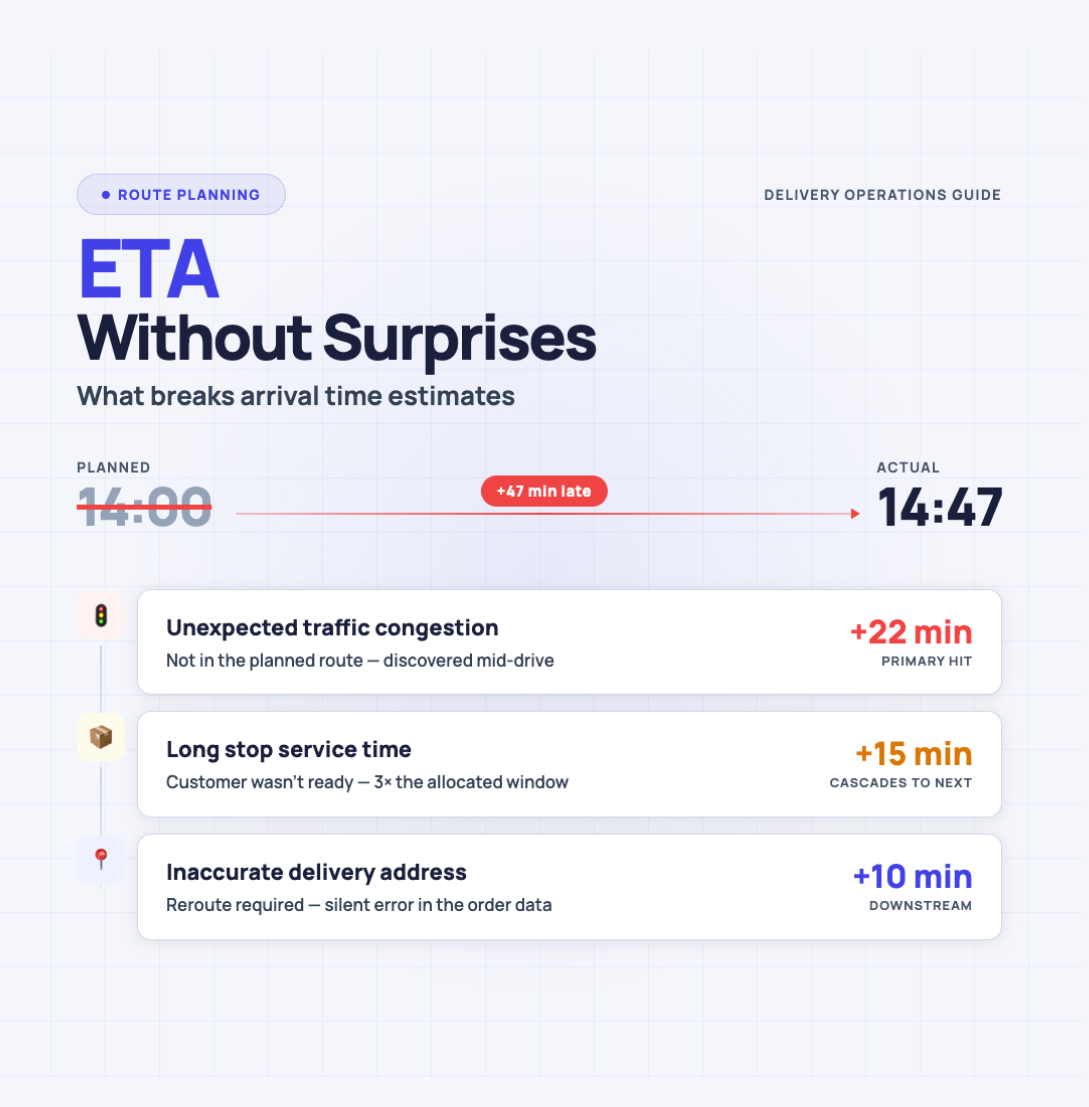
Most ETA problems start the same way — with a number that sounds confident.
“Ten minutes.”
Then reality happens: the address pin is off by a block, the elevator is out, the customer wants “just one quick thing,” and the street you planned to use is now one lane. The ETA wasn’t lying — it was missing context.
This article is about that missing context. We’ll break down what ETA actually means (and what it doesn’t), why arrival‑time estimates drift, and how to build ETAs you can say out loud without immediately regretting it — especially when you’re running multi‑stop days.
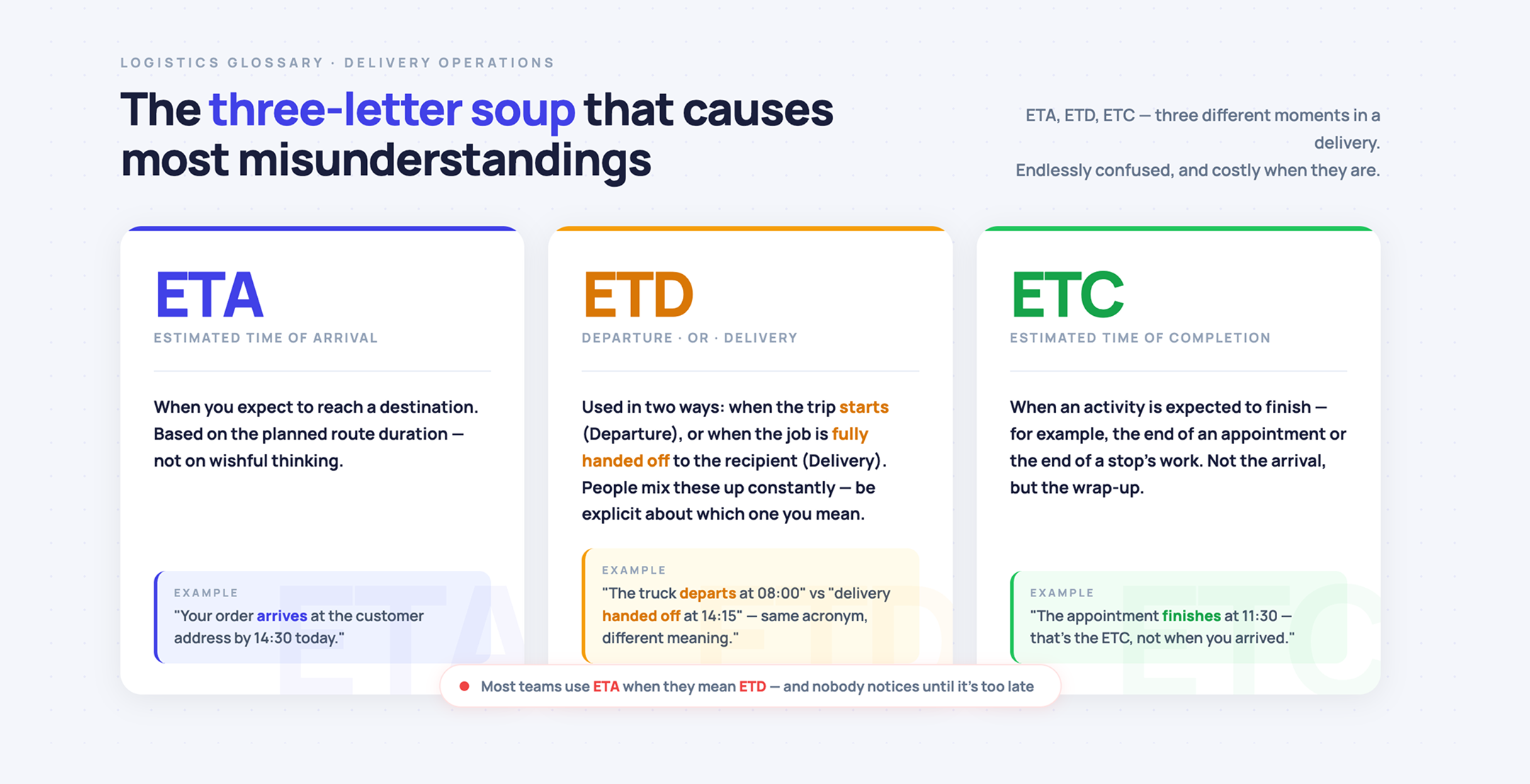
ETA (Estimated Time of Arrival) is the time you expect to reach a destination. It’s based on the planned duration of the route — not on wishful thinking.
ETD is tricky because it’s used in two common ways:
In practice, people mix these up constantly, so it helps to be explicit about which one you mean.
ETC (Estimated Time of Completion) is when an activity is expected to finish — for example, the end of an appointment or the end of a stop’s work.
Arrival time and completion time often diverge. You can “arrive” and still spend 12 minutes parking, walking, getting through a lobby, and finding the right door. That gap is where most ETA promises go to die.
An ETA isn’t just a timestamp. It’s a commitment that other people plan around. When it slips, the impact is rarely neutral:
So the goal isn’t “perfect accuracy.” The goal is fewer surprises and smaller misses.
A simple ETA formula exists — time equals distance divided by speed. It’s also the reason so many ETAs are wrong. Real trips have extra variables: intermediate stops, stop duration, refueling, weather, traffic, and a pile of small delays that don’t show up in a straight‑line calculation.
Here are the biggest ETA breakers, in plain language.
If the destination is wrong, every minute after that is fantasy.
Even when the address is “correct,” the map pin can land behind the building, on the wrong side of a divided road, or at a loading entrance you can’t use. The app can route perfectly to the wrong spot.
Stop duration is often the largest unknown in multi‑stop days:
If you treat each stop as “2 minutes,” your ETA will look great until noon. Then it collapses.
The first stop is influenced by:
The last stop is influenced by:
Averages don’t capture this.
You don’t need live road feeds to know patterns exist:
A route that’s “25 minutes” at 11:00 can be “42 minutes” at 16:30.
Multi‑stop planning isn’t “A to B.” It’s a chain of small decisions:
A single bad sequence can quietly add an hour.
Calls, texts, bathroom breaks, coffee, wrong turns, searching for parking — none of these are rare. They’re normal. If your ETA model assumes you are a robot, it will disappoint everyone.
Not every constraint belongs inside software. But you still need to acknowledge:
You don’t have to “optimize everything.” You do have to plan like the world is imperfect.
Not much to explain here. A day can flip from routine to chaotic quickly, and even “light” changes add minutes everywhere.
The fastest way to create an ETA problem is to communicate an exact minute when you should have communicated a window.
“2:17 PM” sounds like you’re certain.
“2:15–2:35” sounds like you’ve done this before.
If you want ETAs that hold up, build them from components:
That’s the core upgrade from the naive distance/speed formula.
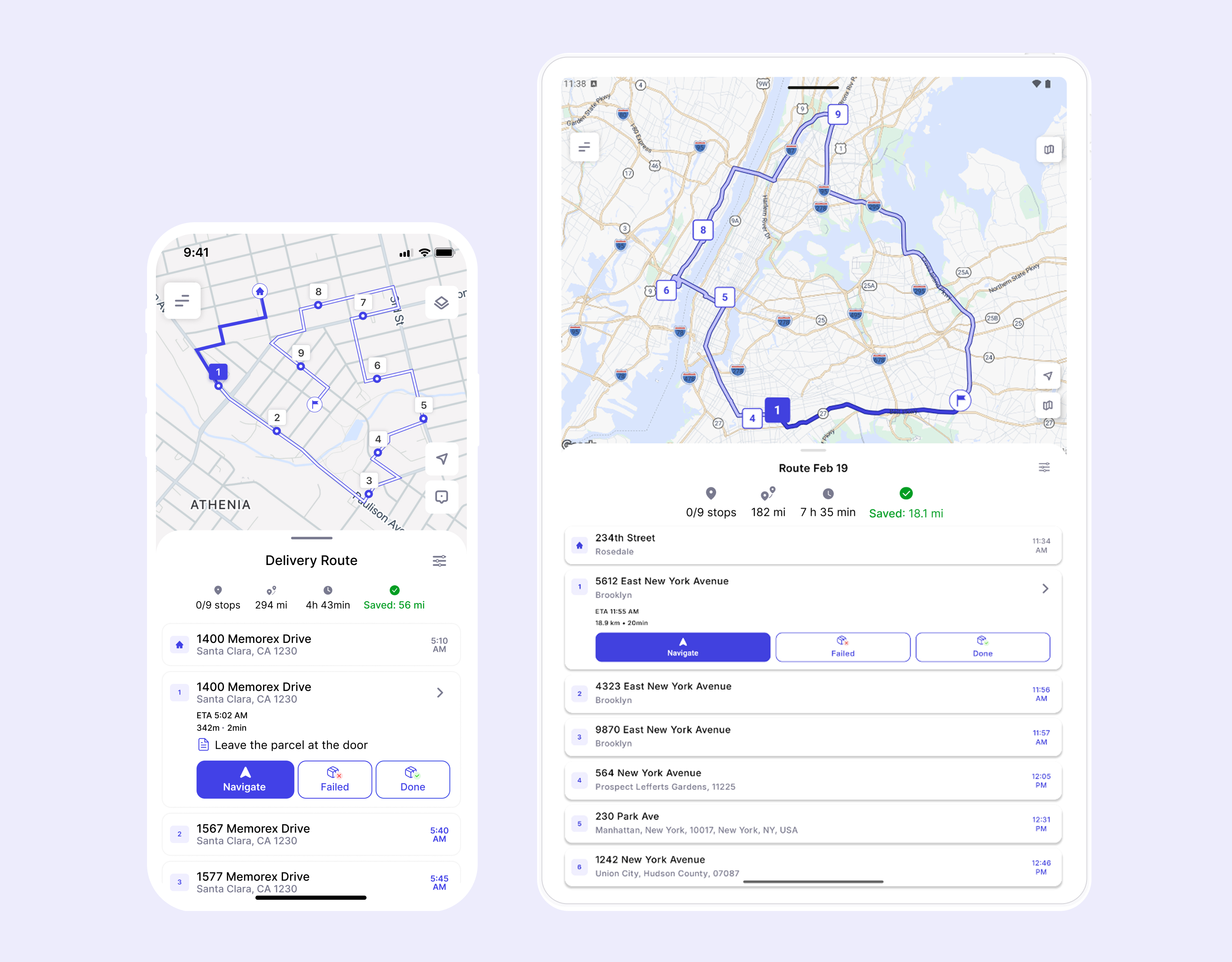
Optiway is built around a simple reality: many people are doing multi‑stop days and need arrival times per stop, not just “when I get there eventually.” On the product side, it focuses on planning your route type, adding stops quickly, optimizing the stop order, and generating ETAs for each stop.
Here’s a practical workflow that keeps ETAs sane, without pretending the day will stay perfectly stable.
Are you planning:
Optiway supports both — and that decision matters because your last‑stop ETA changes when “home” is part of the route.
Manual entry is slow and error‑prone. Optiway supports adding stops manually, and it also supports importing stops (including via .txt or .xlsx).
Less typing means fewer mistakes, and fewer mistakes means fewer “why am I on the wrong street” minutes.
A clean address is good. A realistic stop is better.
Optiway lets you attach notes, set priority, and use time windows for stops.
That’s exactly the kind of context that prevents “perfect route, impossible schedule.”
Optimization gives you a strong baseline for stop order and driving time. Optiway also lets you skip optimization if you need to preserve a specific order.
After that, do a quick sanity check:
If yes, your ETA needs a buffer, not optimism.
Optiway can open routes in Apple Maps, Google Maps, Waze, or Here WeGo through its delivery route optimization app with accurate ETAs.
That matters because the best ETA model in the world still fails if you get bounced between apps or waste time copying addresses.
Stops get added, removed, rearranged. When that happens, the ETA chain changes too. This is especially true for same-day delivery drivers, where orders keep coming in and the morning plan rarely survives the afternoon.
Optiway supports editing a route (add, remove, or modify stops) and then re‑optimizing or keeping the existing order.
The point is simple: when inputs change, your ETA should change with them.
If you do just one thing to reduce ETA drama, do this:
Stop promising a single minute. Start promising a window.
Optiway supports setting an earliest and latest time for a stop, and that window can be used during optimization so the plan respects it.
Windows are not a cop‑out. They’re honesty with structure.
To keep expectations clean:
That’s not a weakness. It’s the reality of arrival‑time estimates.
You can’t eliminate delays. You can eliminate the chaos that comes from pretending delays won’t happen.
The playbook is straightforward:
That’s how you get “ETA without surprises” — not because the world became predictable, but because your estimate finally started respecting the parts that usually break it.
Delivery Route Planning Best Practices - A Practical Daily Checklist by Optiway
Optiway puts your stops in a clean driving order — fewer loops, less fuel, calmer deliveries, and quick edits when plans change.
What Route Planning Really Means in Logistics with Optiway Insights
Learn what route planning means in logistics with practical steps, tools, and pitfalls included — understand how Optiway helps optimize delivery routes effectively.
Why Google Maps Falls Short for Truck Routes
Where a navigation app stops being enough for commercial multi-stop routing.
Plan, assign and track every driver — live, from one dashboard.