Route Planner App for Independent Couriers with Multiple Stops
Too many stops can turn a simple shift into wasted miles and late arrivals. Optiway helps independent couriers plan smarter routes and keep the day under control.

Delivery & Couriers
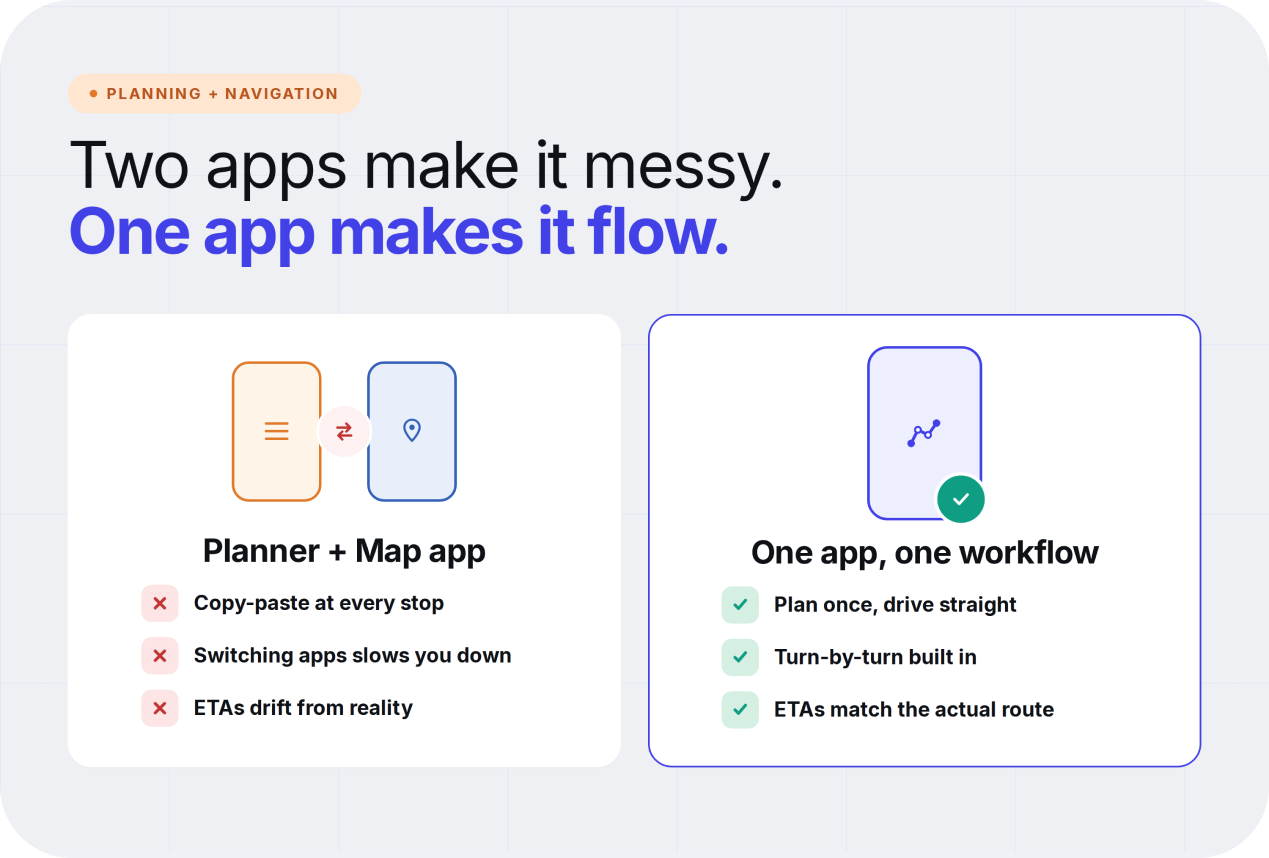
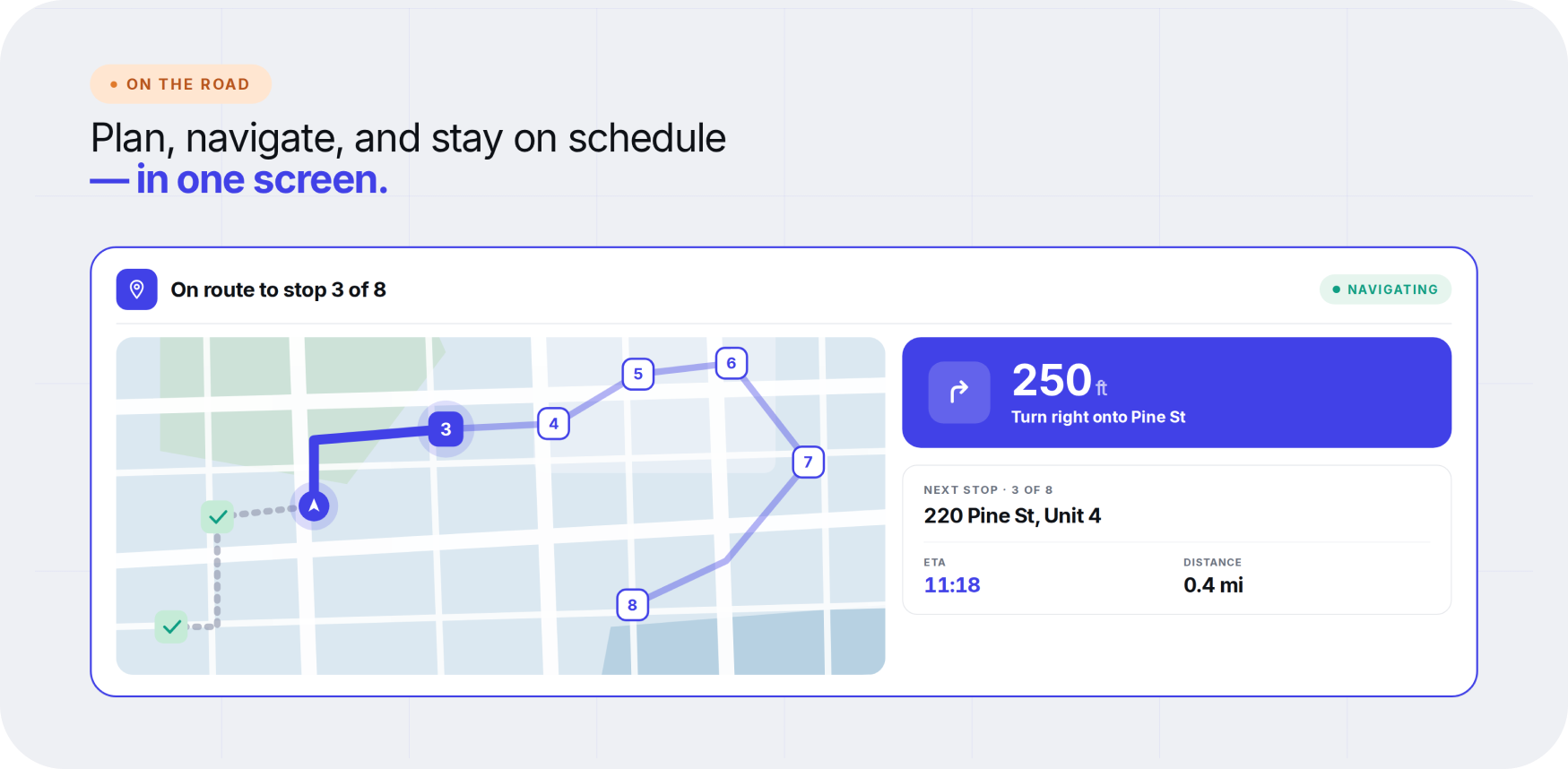
A combined routing and navigation app simplifies the entire workflow. Instead of juggling multiple tools, drivers can manage everything in one place.
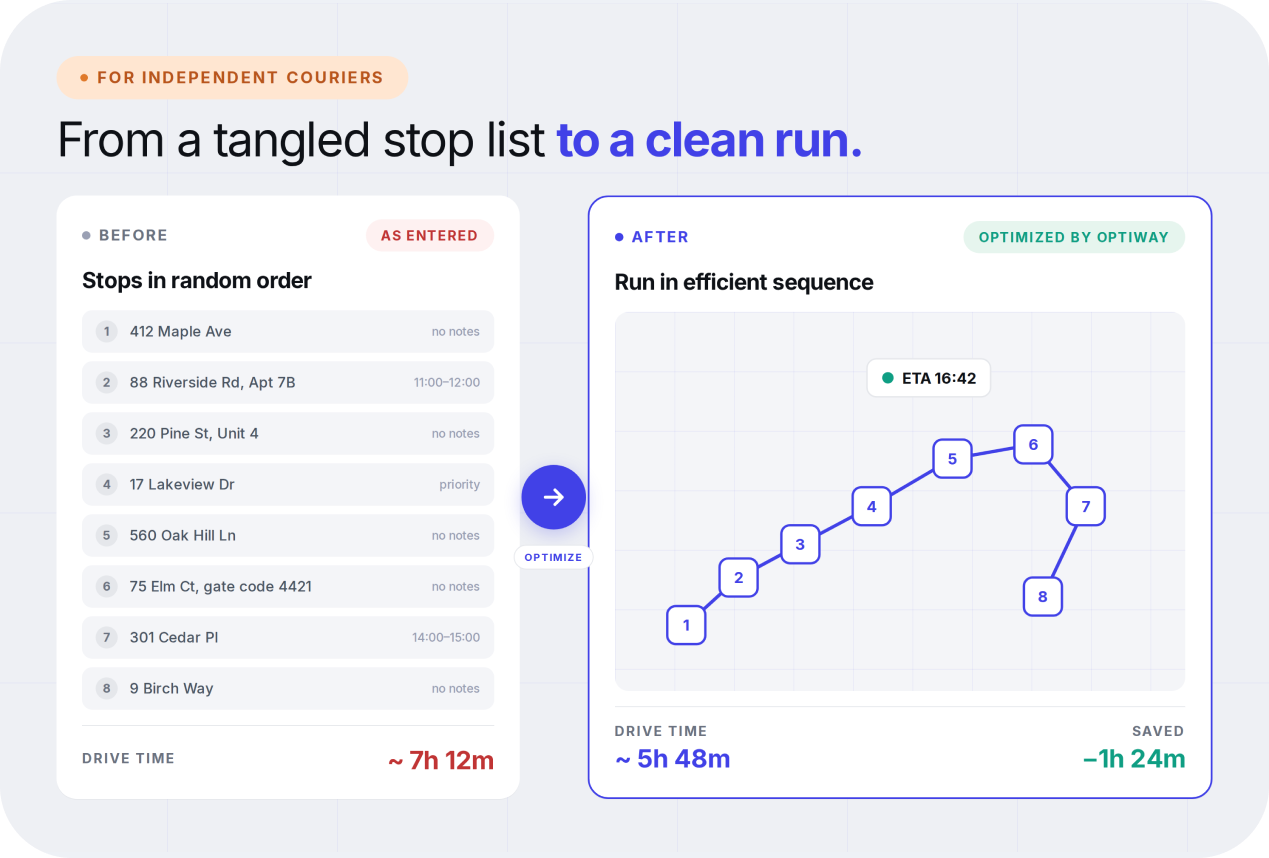
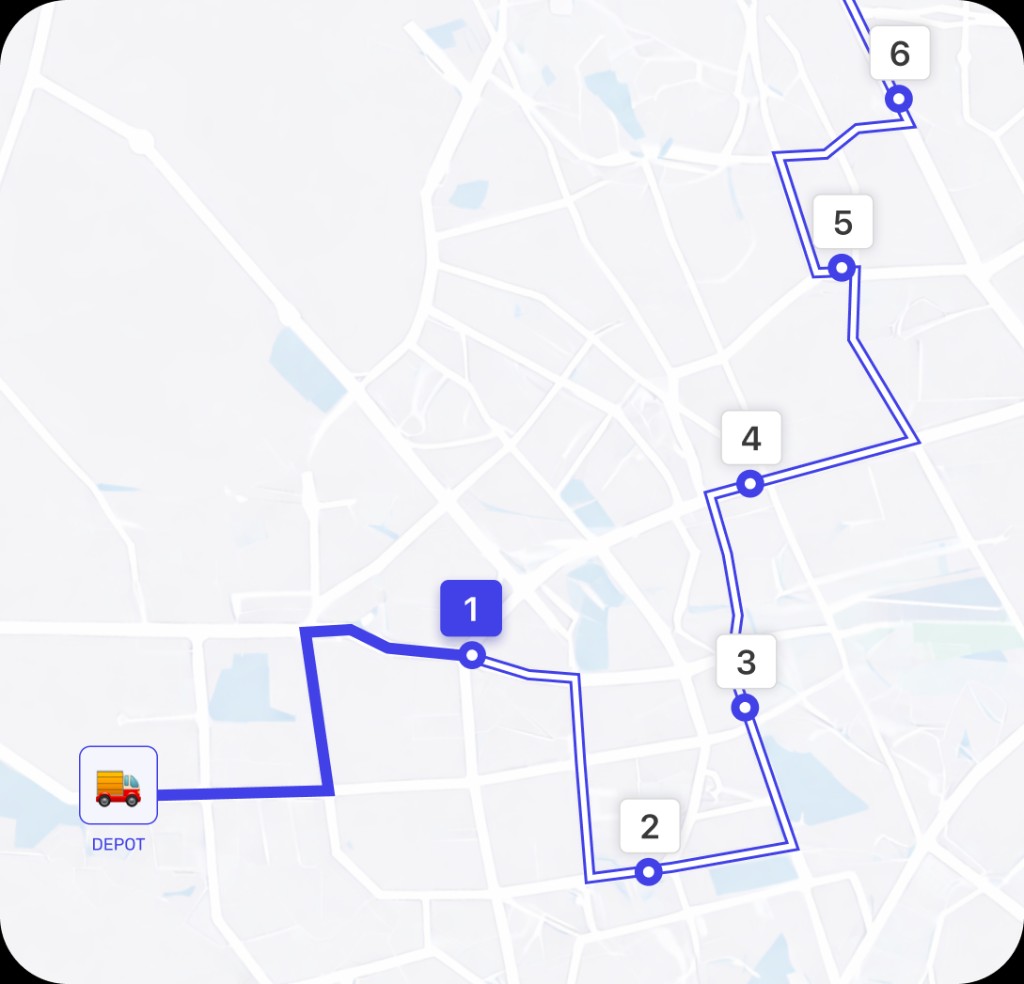
At the start of the day, all stops can be added manually or imported at once. The app then calculates the most efficient order based on distance and timing.
After the route is set up, the app guides the driver through each stop with built-in navigation. There is no need to switch apps or enter addresses again. Everything stays in one workflow.
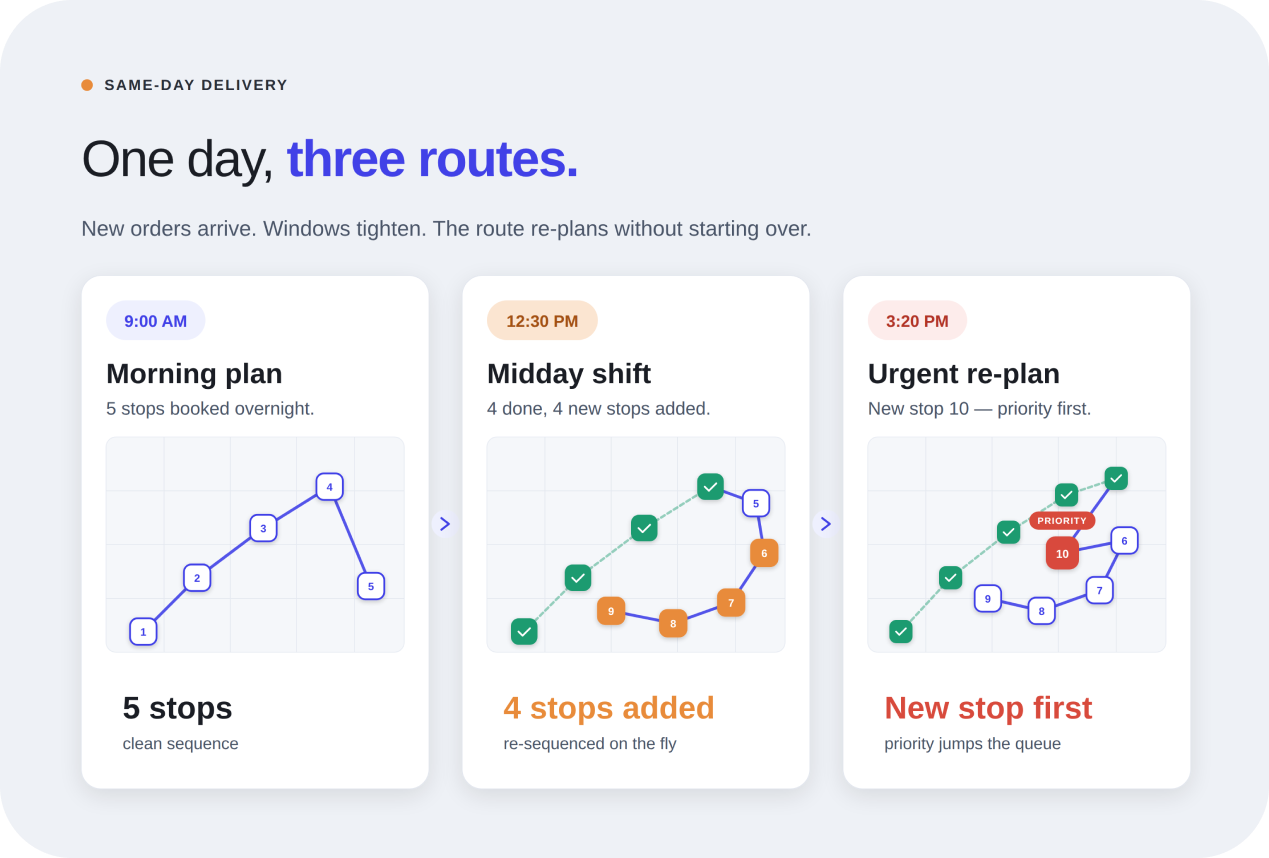
If something changes during the day, the route can be updated quickly. The app reorganizes stops and keeps the plan efficient without starting over. A good route planner app for delivery drivers combines these steps smoothly, helping drivers stay on track while maintaining accurate delivery ETAs.
When choosing a delivery app, it helps to focus on features that actually make the day easier on the road. A strong app for delivery drivers with multiple stops should support all of these while allowing smooth route changes on the go.
Better route planning has a direct effect on daily efficiency. When stops are arranged logically, drivers avoid unnecessary driving. Instead of jumping between areas, they move through each stop in a clean sequence.
This reduces total distance and helps drivers complete deliveries faster. For example, imagine handling ten deliveries in the same neighborhood. Without optimization, a driver may zigzag between streets.
With proper sequencing, the driver moves through the area once and finishes all stops efficiently. This leads to shorter drive times and lower fuel consumption, which also means more deliveries can be completed within the same shift.
Using a delivery route app with GPS navigation makes multi-stop delivery planning more efficient. This helps drivers get more done without extending the workday.
When route planning and navigation are connected properly, timing becomes more reliable. Routes are optimized and updated in real time, which means ETAs are based on actual conditions instead of rough estimates. This helps drivers stay on schedule and avoid delays.
Customers also benefit from that accuracy. They know when to expect their delivery and experience fewer frustrating delays.
From the business side, fewer delays mean fewer missed deliveries and less need for follow-ups or rescheduling. Over time, this helps build a more dependable delivery experience and stronger customer trust.
Not all delivery apps are built the same. When comparing options, focus on tools that improve the daily workflow:
A tool like Optiway brings these elements together. It helps drivers plan smarter routes, navigate efficiently, and reduce wasted time on the road. With its feature set, all the driver needs to do is plan once and stay in control of the day.
Does Optiway combine route planning and navigation in one app?
Yes. Optiway plans the most efficient stop sequence and then hands each leg to one-tap navigation, so drivers do not need to copy addresses between a planner and a separate map app.
How does Optiway navigate between stops?
Each stop opens turn-by-turn directions in the map app you already use — Apple Maps, Google Maps, or Waze. Optiway keeps the optimized order, so you always navigate to the next correct stop.
What happens to my ETAs if a new stop is added mid-route?
Add or remove stops on a live route, then re-optimize or keep the existing order. Stop-by-stop ETAs adjust on the spot, so you do not have to rebuild the day from scratch.
Will Optiway respect time windows and priority stops?
Yes. Set earliest and latest delivery times for each stop, and mark priority stops to push them near the top of the sequence. Optiway factors all of that into the optimized route.
How is this different from just using Google Maps for multiple stops?
Google Maps mostly handles point-to-point navigation and keeps stops in the order you typed them. Optiway is built for multi-stop work — it reorders stops into the best sequence, supports time windows, priorities, notes, and ETAs, and then hands navigation off to your map app.
How many stops can I plan in one route?
Up to 200 stops per route, which covers most independent courier and small-team delivery shifts.
Is there a free trial?
Yes. You can start with a free trial. After the trial ends, your subscription renews automatically unless canceled through your App Store or Google Play account. You can cancel anytime in your store settings.
Route Planner App for Independent Couriers with Multiple Stops
Too many stops can turn a simple shift into wasted miles and late arrivals. Optiway helps independent couriers plan smarter routes and keep the day under control.
Best Route Planner App for Same Day Delivery Drivers
Same-day delivery gets messy fast when routes change by the hour. Optiway helps drivers plan smarter stops, save time, and keep ETAs under control.
Why Google Maps Falls Short for Truck Routes
Where a navigation app stops being enough for commercial multi-stop routing.
A fast, lightweight app that holds the whole day — and keeps working when the signal drops.



Start with a free trial — cancel anytime.