OptimoRoute Alternatives: Optiway vs OptimoRoute
A feature-by-feature comparison for growing delivery teams.

Comparison
Onfleet is an established last-mile delivery platform used by more than 1,000 delivery operations. It currently holds a 4.6 out of 5 rating on Capterra based on 96 verified reviews. For a business that needs mature customer communications, deep integrations, and compliance tooling, it is a genuinely strong platform.
But strong is not the same as right for everyone. A growing delivery team usually needs a smaller set of things done well: turn a stop list into optimized multi-driver routes, dispatch the day, track it, and prove each drop, without a multi-week rollout or an enterprise contract.
That is the gap Optiway is built for, and it is why teams shopping Onfleet alternatives tend to weigh capability against complexity rather than logos. Here is an honest, feature-by-feature look at where each one fits, starting with the side-by-side.
| Feature | Optiway | Onfleet |
|---|---|---|
| Route optimization | Core optimization engine across plans | Basic optimization on Launch; advanced optimization on Scale |
| Setup | Self-serve setup focused on fast route creation | Self-serve trial; guided onboarding on Scale and premium onboarding on Enterprise |
| Multi-driver dispatch | Yes | Yes |
| Live tracking | Yes | Yes |
| In-app driver–dispatcher chat | Not available | Yes |
| Proof of delivery | Photo, signature, notes | Photo and signature; barcode scanning and age/ID verification on Scale and above |
| Integrations | CSV and Excel import, API | Prebuilt: Shopify, Zapier, Square and more |
| Pricing model | Free up to 300 stops a month; $99/month for 2,000 | Task-based plans from $619/month |
| Best fit | Growing teams that want strong routing without the overhead | Teams that need mature customer communications, advanced integrations, compliance features, and task-based delivery orchestration |
Both companies publish their current pricing; plan details may change over time. Checked July 2026.
This is where the two tools are built differently. Optimization is not a feature bolted onto Optiway. It is the product.
As route optimization software, the engine takes a full stop list and sequences it around distance, drive time, your delivery windows, and the stop priorities you set, then rebuilds instantly when an order changes. It handles up to 200 stops in a single route across every plan, and you can re-sequence on the fly through a busy day without starting over.
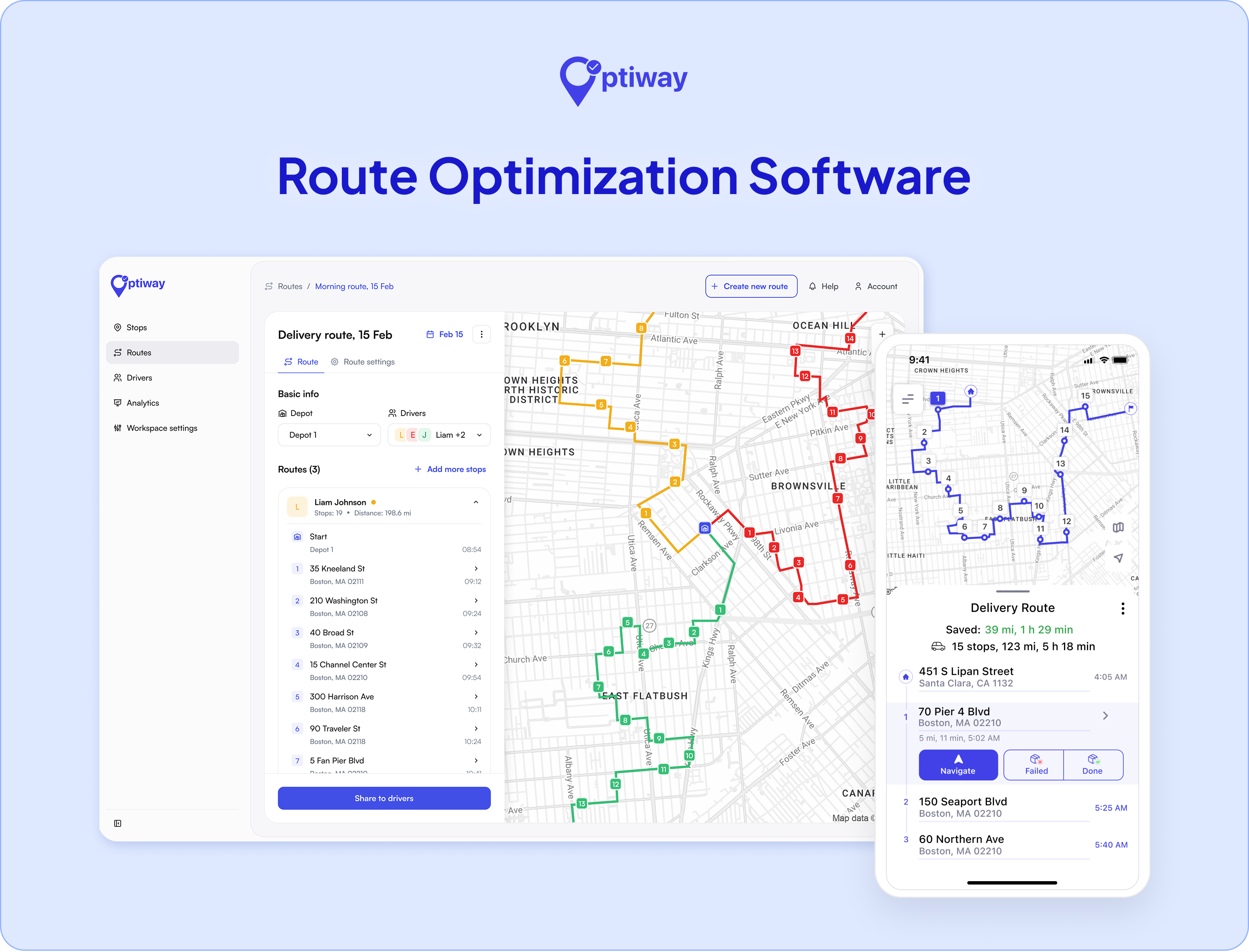
Onfleet also provides route optimization, with basic optimization included on Launch and advanced optimization available on Scale. User reviews are generally positive about its ease of use and routing capabilities, although a smaller number of reviewers mention routing issues or slower performance in certain workflows.
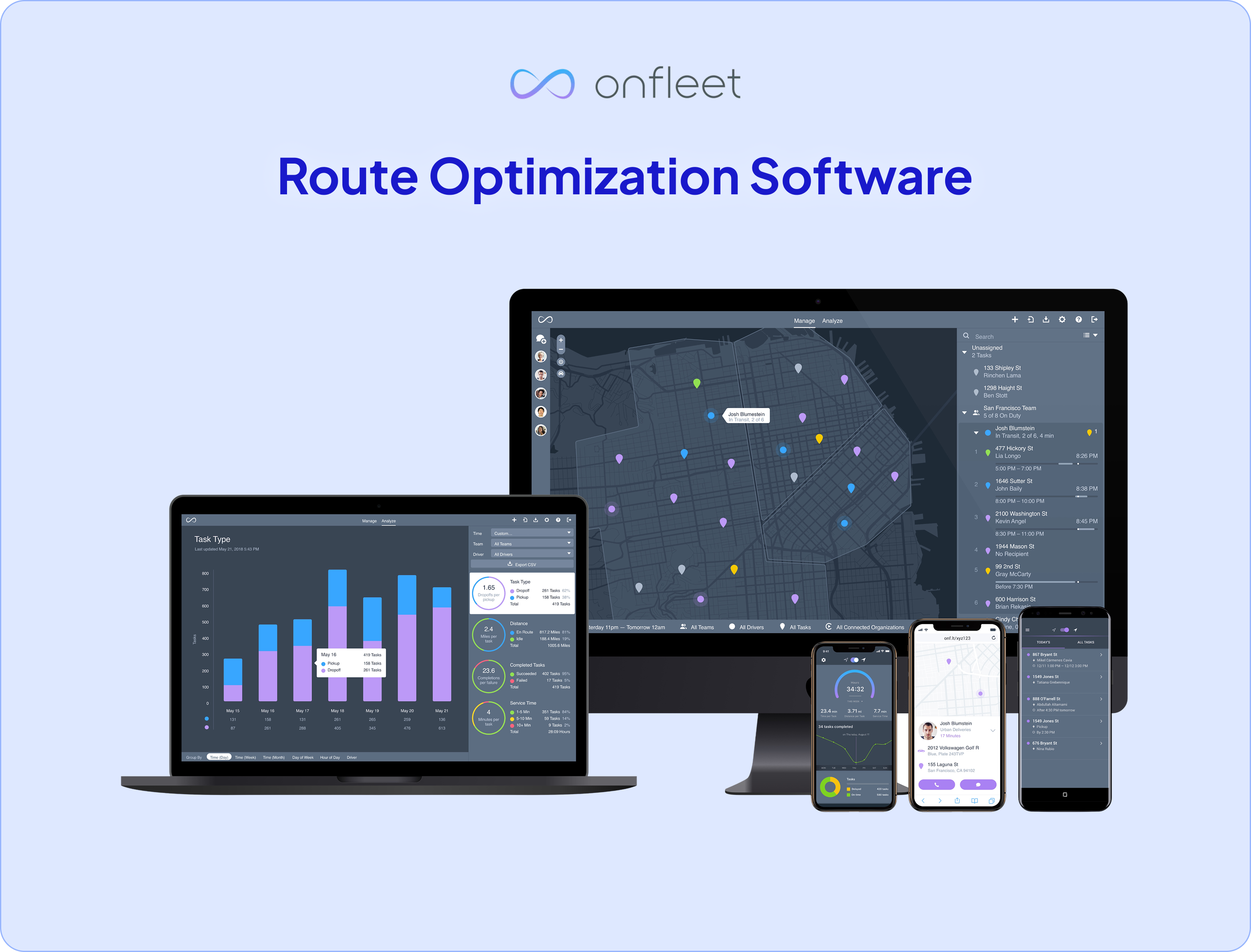
Route quality depends heavily on stop density, time windows, traffic, and operating area. The honest advice is to test both platforms on a real day of deliveries and compare the routes each one produces.
If the split between assigning work and sequencing it is new to you, we cover dispatching vs routing separately.
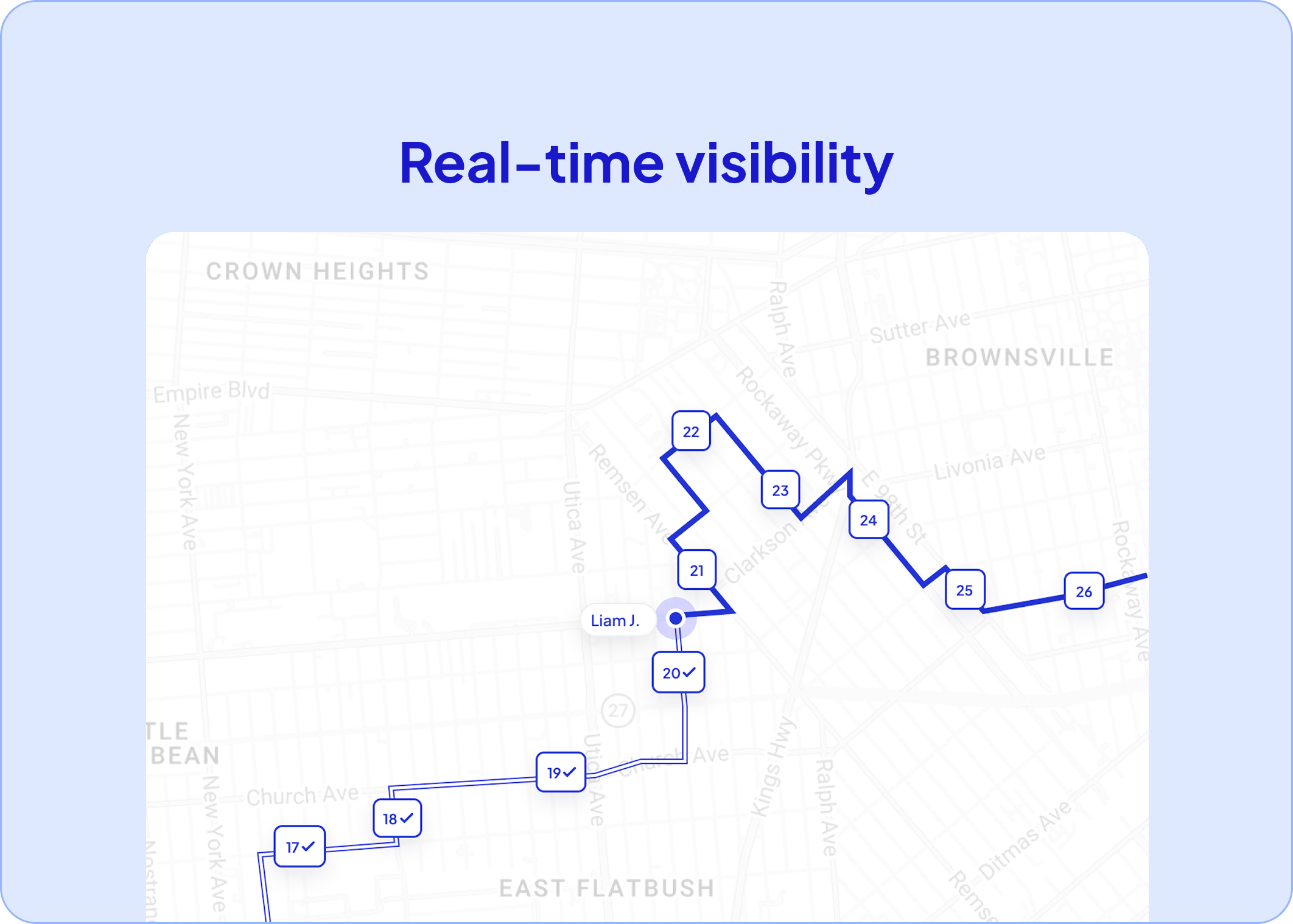
Both platforms give you a live view of the day. Optiway runs real-time dispatch software from one board: assign routes to drivers, watch progress on the map, and reassign a stop the moment plans change.
Because time windows and service times feed the plan, it also works as delivery scheduling software, not just a router. Drivers get the route in the iOS or Android app with one-tap navigation and a per-stop ETA, so the plan a dispatcher builds is the plan a driver follows.
Onfleet has real strengths here, and an honest comparison names them. Its in-app chat between drivers and dispatchers, with masked phone numbers for customer contact, is genuinely useful and something Optiway does not offer.
Onfleet's driver analytics and its recipient tracking links are mature and well regarded. If two-way in-app messaging is central to how you run the day, that is a point in Onfleet's favor.
Every delivery ends the same way: proof that it happened. Optiway captures a photo, a signature, and notes at the door, syncing the record back to your dashboard so a disputed drop becomes a quick lookup instead of a refund. For most small and mid-sized operations, that covers the job.
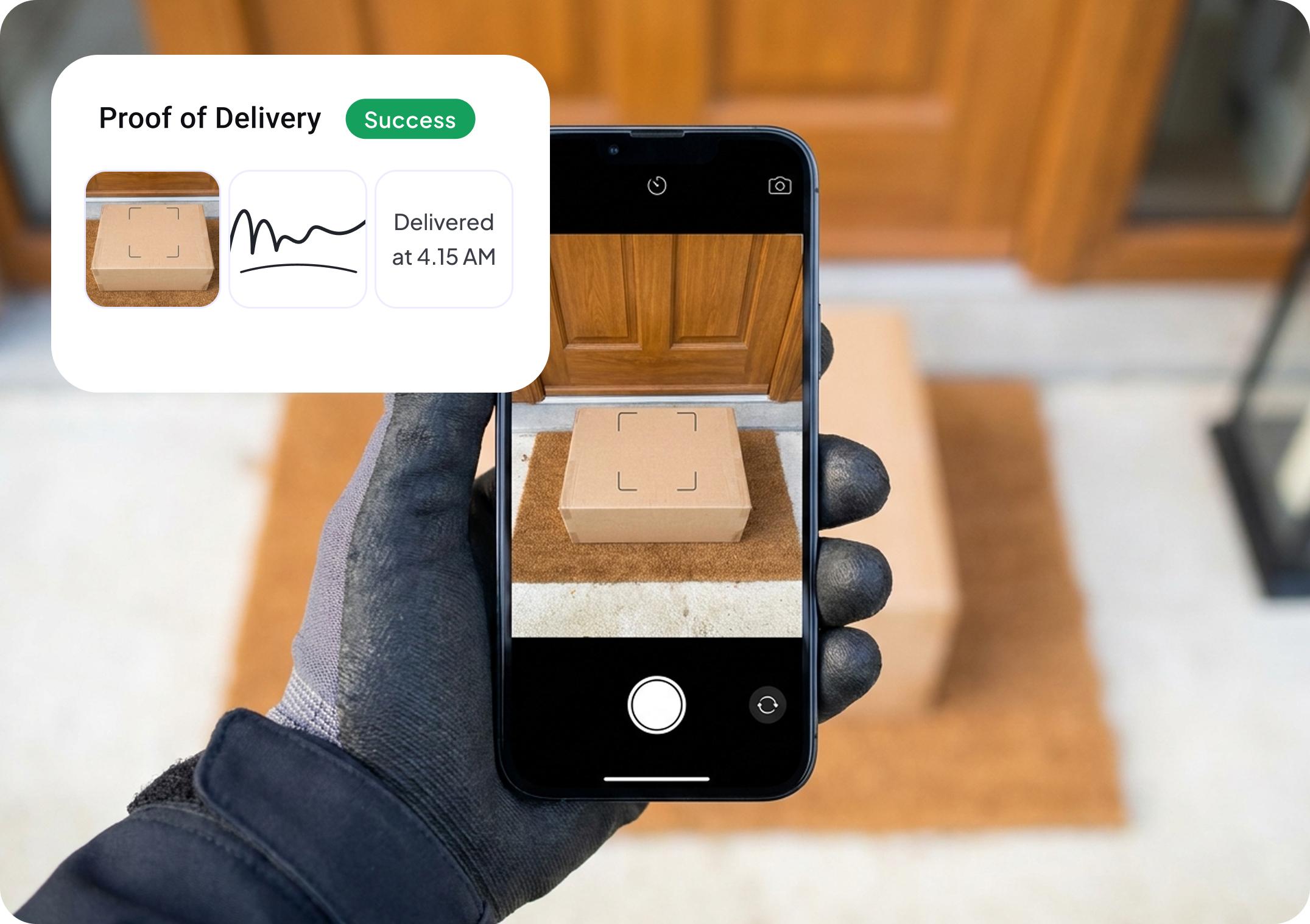
Onfleet goes further, and this is a legitimate strength. Its proof of delivery software adds barcode scanning plus age and ID verification on Scale and above, which matters if you deliver in regulated categories like pharmacy, alcohol, or cannabis.
If those checks are part of your daily operation, Onfleet's depth is worth it. If they are not, they are capability on a higher tier that you would pay for and never use.
This is where a growing team feels the difference first. Both platforms import stops: Onfleet accepts CSV, XLS, and JSON task imports, and Optiway is built around quick csv route import from a spreadsheet or a pasted list.
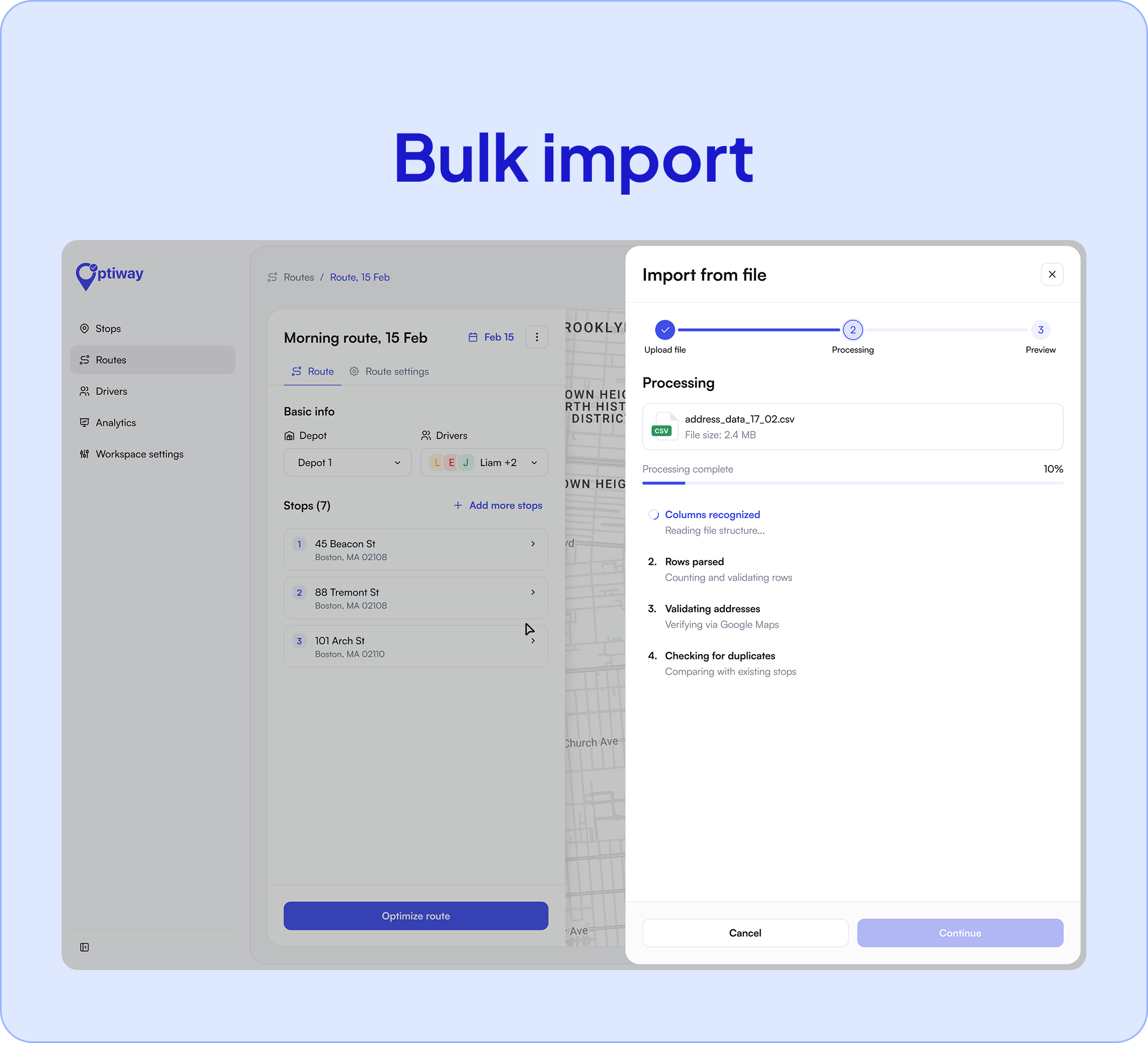
The difference is the runway. Onfleet offers a broader and more configurable platform. Teams can start through its self-serve trial, while guided onboarding is included with Scale and more extensive implementation support is available on Enterprise.
Optiway is built for a fast self-serve start: import a real day of orders, optimize, and run a route the same morning, with a driver app clean enough to learn before lunch. If your workflow already lives in spreadsheets and you would rather be routing today than scheduling a rollout, that shorter path is the whole point.
For teams building a connected stack, Onfleet has the edge. Its prebuilt integrations with Shopify, Zapier, Square, and other partners, plus a documented API, make it a strong backbone for an operation that wires delivery into everything else.
Optiway offers CSV and Excel import and an API for bringing orders in, which covers most growing teams, but it does not match Onfleet's breadth of ready-made connectors.
If a large integration ecosystem is a requirement rather than a nice-to-have, weigh that carefully.
We are not making this a comparison about price, because the more useful question is capability. Still, the two models are different enough to mention.
Stop-based pricing with a free tier underneath it: Early Access covers 300 stops a month at no cost, and Team raises the allowance to 2,000 for a flat $99. Drivers and dispatchers are never billed separately.
Task-based pricing. Scale and Enterprise plans add higher task allowances and more advanced operational features.
Both companies publish their current pricing, although plan details may change over time. See Optiway's plans.
The point is not that one is cheaper. It is that they are built for different sizes of operation, and the pricing reflects that. If you are shopping specifically for cheaper route planning software, the published per-driver plans make Optiway easy to budget, but the reason to switch should be fit, not the sticker.
A fair comparison names the other side's strengths, and Onfleet has real ones. It is likely the better fit when you:
For those workflows, Onfleet's depth earns its price. The trade-off is a broader platform with more to configure, and a cost structure tied to task volume rather than drivers.
For many small and mid-sized delivery teams, the honest answer comes down to what you actually run on.
If your day looks like the left-hand column, Optiway is the more practical Onfleet alternative. As a last mile delivery software for growing fleets, it puts the routing engine first and keeps the rest simple.
For growing teams that want strong route optimization, fast setup, and clean proof of delivery without enterprise complexity, yes. Onfleet is the better fit for larger operations that need compliance tooling, deep integrations, and in-app chat.
Optiway places route optimization at the center of the product and supports up to 200 stops per route, including time windows and stop priorities, with re-optimization when plans change. Onfleet offers basic optimization on Launch and advanced optimization on Scale. Reviews of Onfleet are generally positive, although some users report routing or performance issues in particular workflows.
Yes. Multi-driver route optimization and a live dispatch board are built in, with driver limits that grow as you move up plans, up to unlimited drivers on Fleet.
Yes: photo, signature, and notes on every stop, synced to your dashboard. Onfleet adds barcode scanning and age or ID verification for high-compliance deliveries.
Light for spreadsheet-based teams. Export your stops to CSV or Excel, import them into Optiway, and run an optimized route the same day. Higher plans add guided onboarding.
OptimoRoute Alternatives: Optiway vs OptimoRoute
A feature-by-feature comparison for growing delivery teams.
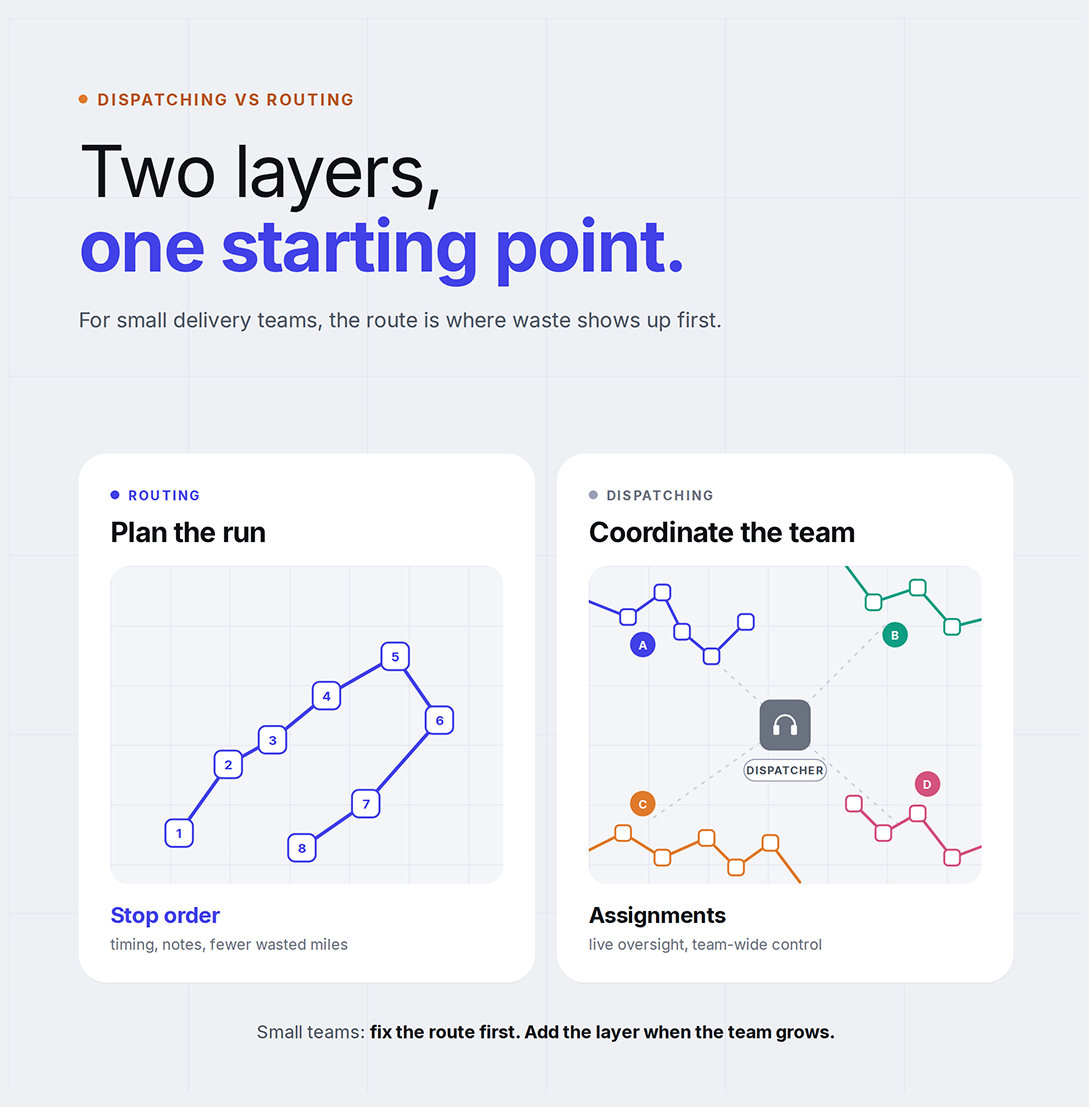
Dispatching vs Routing for Small Businesses
Why small delivery teams start with route optimization.
Delivery Route Planning Best Practices
A practical daily checklist for cleaner, faster routes.
Plan, assign and track every driver — live, from one dashboard.